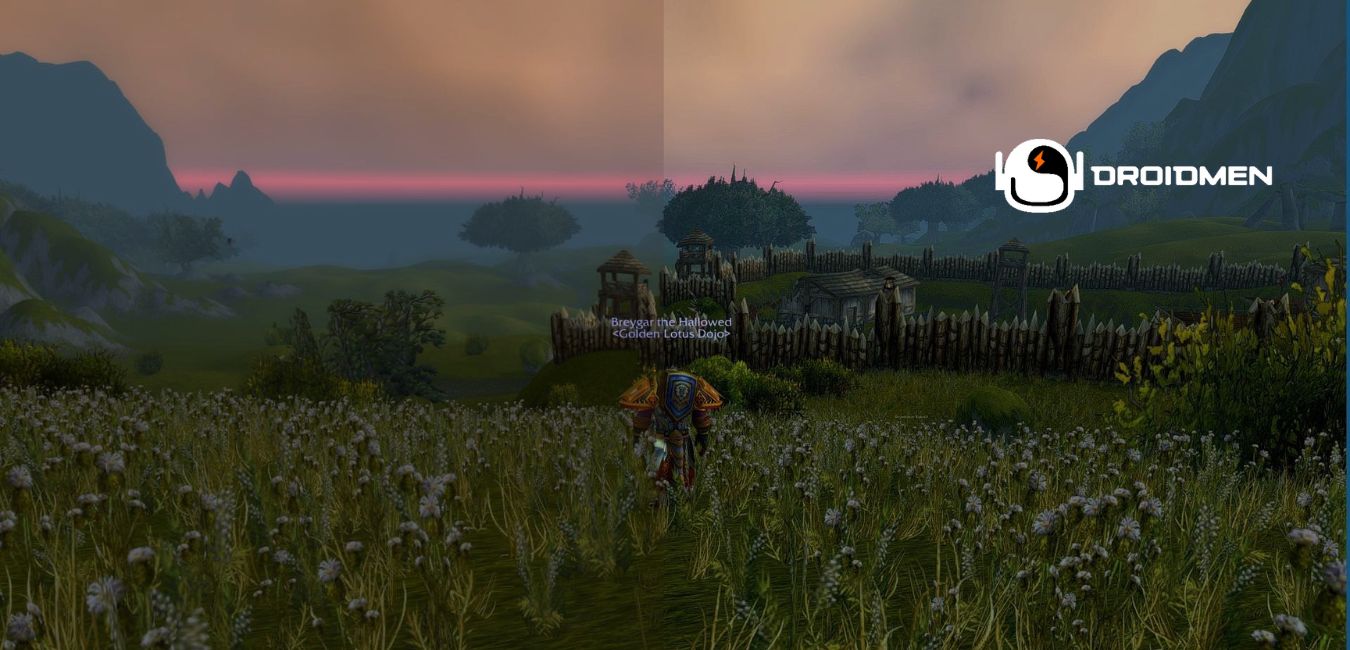
Are you looking to enhance your gaming experience and make it more visually appealing? If so, then you might want to check out Reshade. Developed by Crosire, Reshade is a post-processing injector that can significantly improve the graphics of your games thanks to a vibrant community of users.
Table of Contents
What Is Reshade?
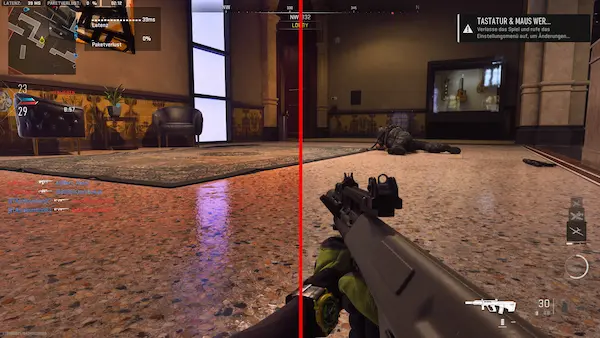
Reshade is a software designed to “inject” a particular preset into your games by overriding the various shaders that games use to show off graphics. It works by latching onto OpenGL, its successor Vulkan, and Microsoft’s DirectX, and changing how a game looks from upping the saturation to completely changing the color grading entirely.
While Reshade is entirely based on personal preference, it provides a lot of alterations available from the community that seem to focus on hitting a specific style that the original game didn’t provide. From GTAV’s massive list of presets, to Counter-Strike and even Watch Dogs, Reshade is filled to the brim with modifications to suit almost any need.
Crosire does warn that Reshade can take up additional resources in your games, which they use as an indication that the program is actually working.
How To Install Reshade
Installing Reshade is relatively simple. All you need to do is download the “SweetFX Configurator” and follow any on-screen instructions when you click through to it. It should begin to automatically detect your game, and changing your presets can be done within the configuration window.
Reshade currently supports up to 2725 games, though some of them have no presets uploaded right now. That isn’t to say you can’t handle those yourself though, as the software is relatively easy to use, and uploading to the site doesn’t seem too difficult.
The community is relatively active in the forums, as well as Discord, so you better get going, as there are oodles of games that can be used with the program.
Reshade Features
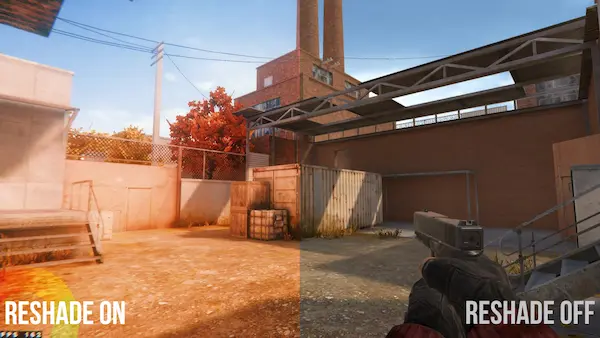
Reshade is a powerful post-processing tool that offers numerous features to enhance your gaming experience. Let’s take a closer look at some of them:
Customizable Presets
One of the most significant features of Reshade is the ability to customize presets that can be uploaded and shared with other users. You can tweak and adjust various aspects of the game’s visuals, including color grading, brightness, sharpness, and more. This feature enables you to create a unique look for your game and share it with others.
Cross-Platform Compatibility
Reshade is compatible with various platforms, including Windows, Linux, and macOS. It supports OpenGL, Vulkan, and DirectX, which means you can use it with most modern games.
User-Friendly Interface
Reshade comes with a user-friendly interface that makes it easy for users to customize and adjust various settings. The software is relatively easy to use, and uploading to the site doesn’t seem too difficult.
Performance Optimization
Reshade is designed to optimize performance and ensure that it doesn’t impact the game’s performance negatively. The software does take up additional resources in your games, which is used as an indication that the program is working. However, it does not affect the overall performance of the game.
Community-Driven
Reshade is community-driven, which means that users can upload and share their presets with others. The software has a large community of users who share their presets, making it easy for users to find a preset that suits their needs.
Reshade Vs. Other Post-Processing Tools
Reshade isn’t the only post-processing tool available in the market. There are other tools like ENB, SweetFX, and GemFX. Here is a comparison of Reshade with other post-processing tools:
ENB
ENB is another post-processing tool that enhances the graphics of games. However, ENB is more complicated to use than Reshade, and it doesn’t have a user-friendly interface. ENB is also not as popular as Reshade, and it has a limited number of presets available.
SweetFX
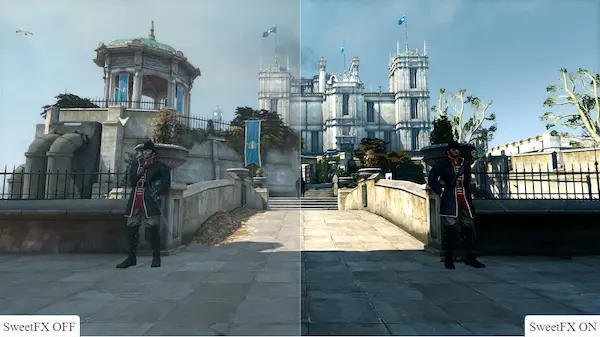
SweetFX is another post-processing tool that enhances the graphics of games. However, SweetFX is not as powerful as Reshade, and it doesn’t have as many features. SweetFX is also not as popular as Reshade, and it has a limited number of presets available.
GemFX
GemFX is another post-processing tool that enhances the graphics of games. However, GemFX is not as powerful as Reshade, and it doesn’t have as many features. GemFX is also not as popular as Reshade, and it has a limited number of presets available.
Conclusion
Reshade is a post-processing injector that can significantly improve the graphics of your games thanks to a vibrant community of users. It offers numerous features to enhance your gaming experience, including customizable presets, cross-platform compatibility, user-friendly interface, performance optimization, and community-driven. Reshade is the most powerful post-processing tool available in the market, and it has the most significant number of presets available. If you want to enhance your gaming experience and make it more visually appealing, then Reshade is the best choice for you.