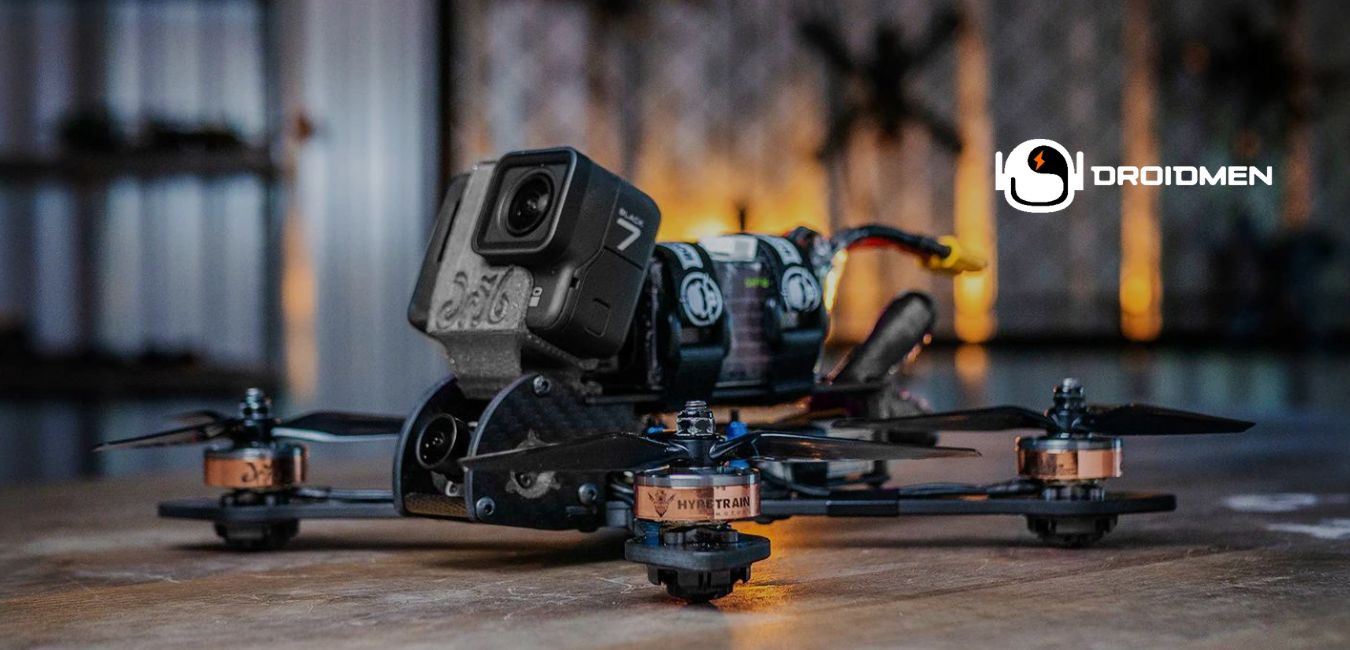
First-person view (FPV) drones are a type of drone. It allows you to see from the drone’s perspective through special goggles. This makes flying more exciting because you feel like you’re sitting in the cockpit of the drone. FPV drones are used for racing, filming, or just for fun. Learn how to use a FPV drone here.
Start by unboxing and setting up your FPV drone. Charge the batteries, install the propellers, and then insert the battery. Turn on the drone, pair it with your FPV goggles and controller, and calibrate. Practice flying by hovering and turning. Always fly safely and follow local rules.
Still, learning how to use one can be tricky. This is especially true if you’re new to drones. This guide will walk you through how to use an FPV drone, from unboxing to flying and maintaining it.
Table of Contents
Key Takeaways
- Unboxing And Setup: Charge the batteries and attach the propellers. Then, double-check that all parts are properly secured.
- Preparing For Flight: Install the battery, power on the drone, and connect it with your FPV goggles and controller.
- Practice Flying: Calibrate the drone, hover steadily, and practice simple moves like turning, moving forward, and going backward.
Step-By-Step Guide To Use An FPV Drone
The step-by-step guide to use an FPV Drone will help you learn how to fly your drone easily. From unboxing to flying, you’ll understand the important steps. For example, setup, calibrating, and controlling the drone. By following these steps, you’ll be ready to enjoy safe and fun FPV flying.
Step 1: Unboxing And Initial Setup
Step 1: unboxing and initial setup is the first part of getting your FPV drone ready to fly. You’ll open the box, check that all the parts are there, and then charge the batteries. After that, you’ll attach the propellers and make sure everything is secure before moving on to the next steps.
Unbox The FPV Drone
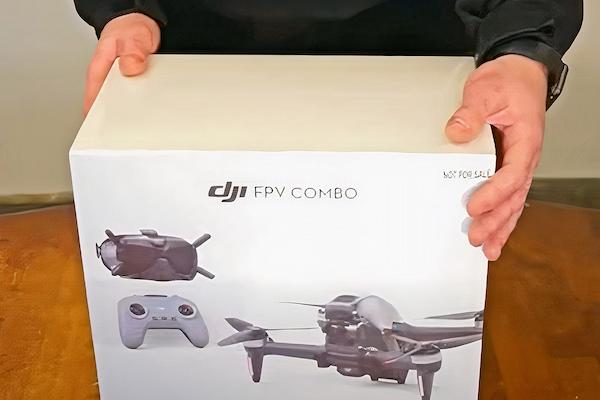
When you first receive your FPV drone, carefully open the box and take everything out. Make sure all the important parts are included, such as the drone itself, remote controller, FPV goggles, propellers, batteries, and any cables. Be sure to keep each piece organized so you don’t lose anything.
Charge The Batteries
Before flying your FPV drone, it’s important to charge the batteries. Most drones come with a charger included. Simply plug the charger into a wall outlet, then connect the batteries to it. Make sure to wait until the batteries are fully charged, as flying with low battery power can cause your drone to stop working mid-flight or result in shorter flying times. A fully charged battery ensures you have enough time for a safe and fun flight.
Install The Propellers
While the batteries are charging, you can install the propellers on your drone. Follow the instructions carefully, as each propeller has a specific spot where it needs to go. Make sure you match them to the correct position on the drone. Tighten them securely so they won’t come off while flying, which could cause the drone to crash. Installing the propellers correctly is an important step to ensure your drone is ready for safe and stable flight.
Step 2: Preparing For Flight
Step 2: Preparing for flight is about getting your FPV drone ready to fly. You’ll install the charged battery, turn on the drone and FPV goggles, and connect everything to the controller. This step ensures that all parts are working together so you can fly safely and smoothly. Let’s get into the discussion.
Install The Battery
After the batteries are fully charged, it’s time to install one into the drone. Carefully slide the battery into its compartment on the drone, making sure it fits properly. Listen for a “click” sound to know it’s securely in place. This is important because when the battery isn’t properly connected, it can disconnect during flight, causing the drone to stop working mid-air. Double-check to make sure everything is secure before moving to the next steps.
Turn On The Drone And FPV Goggles
To turn on the drone, press the power button, and do the same for your FPV goggles. Make sure both are fully charged before starting. Once they’re powered on, check that they are properly connected, so the video from the drone shows up on your goggles. This connection is important for controlling and seeing what the drone sees while flying. Ensuring everything is powered up and linked is key for a smooth flying experience.
Pair The Drone With The Goggles And Controller
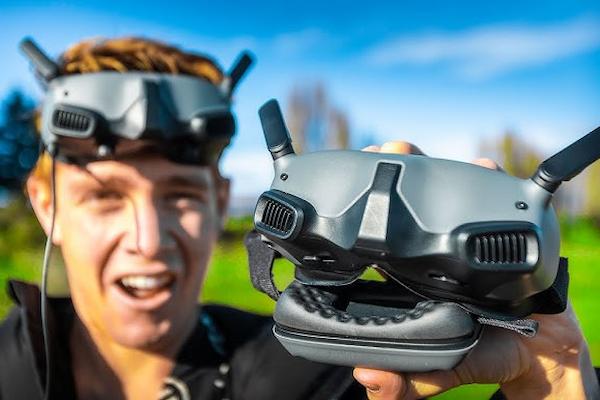
To pair the drone with your FPV goggles and controller, follow the instructions from the manufacturer. Usually, you’ll need to press specific buttons on both the controller and drone at the same time to create the connection. This step ensures that the controller can communicate with the drone, and the goggles can display the live video feed. Make sure the connection is stable before you start flying, as it’s essential for controlling the drone and seeing where it’s going.
Step 3: Calibrating The Drone
Step 3: calibrating the drone ensures your drone flies smoothly and accurately. Calibration helps the drone’s sensors, like the gyroscope and compass, work properly. It’s important to do this before flying so the drone can stay balanced and respond well to your controls during flight.
Gyroscope Calibration
Gyroscope calibration is important to keep the drone balanced while flying. To calibrate, place the drone on a flat surface and follow the instructions in the user manual. This process helps the drone’s sensors understand its position, making sure it stays steady in the air. Without proper calibration, the drone cannot fly smoothly or could tip over during flight. Always perform this step before taking off to ensure a stable and safe flight.
Compass Calibration
Compass calibration helps the drone know which direction to fly. To calibrate, follow the manufacturer’s instructions, which usually involve holding the drone and turning it in specific directions. This process ensures the drone’s compass is accurate, so it doesn’t fly the wrong way or become confused during flight. When the compass isn’t calibrated, the drone cannot respond well to your controls. Always perform this calibration before flying to ensure smooth and accurate navigation.
Test Motors And Rotors
Testing the motors and rotors is an important step before flying. Gently spin the rotors by hand to make sure they move smoothly without any odd noises or resistance. This check helps you see if the motors are working correctly. When they don’t spin easily or you hear strange sounds, there can be a problem. Fixing these issues before flight prevents accidents and ensures that the drone can take off, fly, and land safely without any trouble.
Step 4: Using The FPV Drone App
Step 4: using the FPV drone app helps you control and customize your drone’s settings. By downloading the app on your device, you can connect it to the drone, adjust flight settings, and even view live video. This step makes flying more flexible and fun while improving control. Let’s discuss it in detail.
Download The FPV Drone App
To control your FPV drone and access its features, you’ll need to download the drone’s app. Most FPV drones come with an app that lets you adjust settings and view live video from the drone. Simply go to your phone’s app store, search for the specific drone app, and download it. This app is important because it helps you control the drone and customize your flight experience. Once installed, you’ll be ready to connect your device to the drone.
Connect Your Device To The Drone
After downloading the app, you need to connect your phone or tablet to the drone using Wi-Fi or Bluetooth. Follow the instructions in the app to make the connection. Make sure the connection is stable before flying, as this link allows you to control the drone and see live footage. A weak connection can cause problems during flight. So double-check that everything is connected properly to ensure smooth and safe flying.
App Controls And Settings
The FPV drone app lets you control important flight settings. You can adjust things like speed, altitude limits, and camera angles directly from the app. It also shows useful information, such as battery life, GPS status, and signal strength, helping you monitor your drone during the flight. Using these controls, you can customize your flying experience and make sure everything is running smoothly. Always check these settings before takeoff to ensure a safe and enjoyable flight.
Step 5: Getting Ready For FPV Flying
Step 5: getting ready for FPV flying is about making sure everything is set for a safe and fun flight. You’ll find an open space to fly, check your FPV signal for any interference, and perform safety checks on your drone. These steps help you avoid problems and enjoy a smooth flight. Let’s learn more about it.
Find An Open Space For Safe Flying
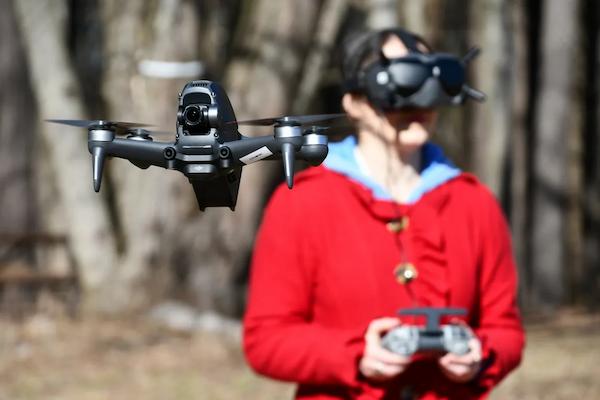
When flying an FPV drone, it’s important to choose a large, open space, like a field or park. This ensures you have enough room to avoid obstacles like trees, buildings, or power lines. Flying in open areas helps you stay safe and makes it easier to control the drone. Avoid crowded places or small spaces, as these increase the risk of accidents.
Check For Interference In The FPV Signal
Before flying your FPV drone, check for signal interference that could affect your flight. Things like Wi-Fi networks, nearby buildings, or other drones can disrupt the FPV signal, making it harder to control the drone or see clear video. Open spaces with fewer obstacles usually have less interference. Ensuring a strong, uninterrupted signal helps keep your drone flying smoothly and safely.
Perform Pre-Flight Safety Checks
Before flying your FPV drone, perform a pre-flight safety check. First, ensure the battery is fully charged so the drone doesn’t lose power mid-flight. Next, check that the propellers are securely attached and not loose. Finally, confirm that the FPV goggles are connected and displaying video correctly. These simple checks help avoid issues during flight and ensure a smooth and safe flying experience.
Step 6: Taking Off And Flying
Step 6: taking off and flying is all about getting your drone in the air and learning basic controls. You’ll start by arming the motors, gently taking off, and practicing simple maneuvers like hovering, moving forward, and turning. These steps help you gain confidence in controlling your drone.
Arm The Motors
Arming the motors prepares your drone to fly by activating the propellers. To arm the motors, push the throttle stick on the controller down and then release it. This tells the drone that it’s ready for takeoff. Without arming the motors, the propellers won’t spin, and the drone can’t lift off. Make sure the area is clear before arming to avoid accidents.
Take Off And Hover
After arming the motors, gently push the throttle stick up to make the drone take off. Slowly lift it off the ground until it hovers in the air. Let it hover for a few seconds to check its stability. This step helps you ensure the drone is balanced and responds well to your controls. When the drone seems shaky or off-balance, land it and check for any issues before continuing with your flight.
Basic FPV Flight Maneuvers
To move the drone forward, gently push the right stick on the controller forward, and to go backward, pull it back. When you want to turn left, push the right stick to the left, and for turning right, push it to the right. To control the altitude, use the throttle on the left stick. Push it up to go higher and pull it down to lower the drone. Practice these controls smoothly to avoid crashes and maintain steady flight.
Step 7: Recording With The FPV Camera
Step 7: Recording with the FPV camera focuses on capturing exciting photos and videos from your drone. You’ll adjust the camera settings, start recording while flying, and capture the perfect shots. This step helps you make the most of your drone’s camera to create stunning aerial footage.
Adjust FPV Camera Settings
Before you start recording with your FPV drone, adjust the camera settings. You can change the resolution and frame rate to improve the video quality. Higher resolution and frame rates give clearer and smoother videos but can use up the battery faster. It’s important to balance quality with battery life depending on how long you plan to fly.
Taking Photos And Videos During Flight
While flying your FPV drone, you can easily take photos and videos. Most drones have a button on the controller or app to start and stop recording. Simply press the button when you want to capture a photo or video. Make sure to focus on flying smoothly while recording to get clear footage. You can switch between photo and video modes, depending on what you want to capture. Remember to stop recording before landing to save your footage.
Recording FPV Footage
FPV drones are perfect for capturing exciting videos from the sky. During your flight, you can record amazing footage by pressing the record button on your controller or app. After each flight, make sure to save your recordings to avoid losing any data. Many drones automatically store footage on a memory card, but it’s always a good idea to double-check.
Step 8: Landing The FPV Drone
Step 8: Landing the FPV Drone is all about bringing your drone back to the ground safely. You’ll learn how to prepare for landing, whether manually or automatically, and how to power off the drone and goggles once it’s on the ground. Proper landing ensures your drone stays in good condition.
Prepare For Landing
When you’re ready to land your FPV drone, slowly lower the throttle to bring it down gently. Make sure the landing area is flat and free of obstacles like rocks or trees. A clear space helps prevent any damage to the drone during landing. Take your time and guide the drone down carefully to avoid sudden drops or crashes. Landing smoothly is important to keep your drone in good condition and ready for its next flight.
Manual And Automatic Landing
Many drones have an automatic landing feature that allows you to land with the press of a button. This brings the drone down safely and steadily without much effort. When your drone doesn’t have this feature, you can land manually by gently lowering the throttle until the drone touches the ground. Make sure to lower it slowly to avoid a rough landing. Whether automatic or manual, landing carefully keeps the drone safe and prevents damage to its parts.
Turn Off The Drone And Goggles
After your drone has safely landed, it’s important to turn off both the drone and the FPV goggles. Start by powering down the drone to save its battery and prevent any accidental movements. Then, switch off the FPV goggles to conserve their battery as well. Turning off both devices not only helps save energy but also ensures everything is safely powered down. This avoids potential issues when you’re ready for the next flight.
Step 9: Post-Flight Care
Step 9: post-flight care focuses on taking care of your drone after flying. Once you land, you’ll remove the battery, inspect the drone for any damage, and store it properly. These simple steps help keep your drone in great condition. This ensures it’s ready for your next flight. Let’s get a better understanding.
Remove The Battery
After you finish flying, carefully remove the battery from the drone. It’s important to let the battery cool down before charging it again to prevent overheating. Never charge the battery right after flight, as it can damage the battery and reduce its lifespan. Once it has cooled, you can safely recharge it for the next flight. This simple step helps keep the battery in good condition and ensures it lasts longer for future use.
Inspect The Drone For Damage
After each flight, carefully inspect your drone for any signs of damage. Look for scratches, bent or broken propellers, and loose parts that could affect its next flight. Even small issues can cause problems in the air, so it’s important to fix them right away. When you notice anything wrong, repair or replace the damaged parts before flying again. Regular inspections help keep your drone in good condition and ensure it flies safely and smoothly every time.
Store The Drone And Goggles Safely
After flying, store your drone and FPV goggles in a safe, dry place to keep them protected. Avoid leaving them in areas with dust, moisture, or direct sunlight, as these can damage the equipment. It’s a good idea to use a storage case or bag to keep everything organized and secure. Proper storage helps prevent scratches, corrosion, or accidental damage. This ensures your drone and goggles stay in great condition and are ready for your next flight.
Tips For Safe FPV Flying
Tips for safe FPV flying help you avoid accidents and keep your drone in good condition. You’ll learn how to follow local rules, keep the drone in sight, avoid restricted areas, and monitor battery life. These simple tips ensure you have fun while flying safely and responsibly. Keep reading to grasp all the details.
Follow Local Drone Regulations
Before flying your FPV drone, it’s important to know and follow your local drone regulations. Some places have rules about where you can fly, and certain areas can be restricted, like near airports or government buildings. In some cases, you can need a permit to fly legally. Always check your area’s drone laws to avoid fines and ensure you’re flying responsibly. Following the rules not only keeps you safe but also helps protect others around you.
Keep The FPV Drone In Your Line Of Sight
While flying with FPV goggles, it’s important to keep the drone within your actual line of sight. Even though the goggles show you what the drone sees, keeping visual contact helps you avoid obstacles and maintain control. When the drone goes too far, you can lose the signal or encounter unexpected dangers. Staying aware of its location keeps both your drone and surroundings safe. Always try to balance using the goggles with watching the drone directly to avoid accidents.
Avoid Flying In Restricted Zones
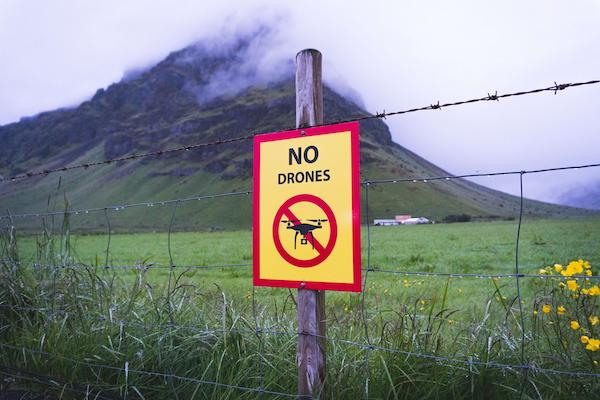
It’s very important not to fly your FPV drone in restricted areas, such as near airports, military bases, or government buildings. Flying in these zones is dangerous and could cause accidents with planes or other equipment. You could also get into legal trouble if you break these rules. Always check your location before flying to make sure it’s allowed and safe. Following these guidelines keeps you out of trouble and ensures a safe flight for everyone.
Check Battery Life And Monitor Flight Time
Before taking off, always check your drone’s battery life to ensure it’s fully charged. While flying, keep an eye on how long you’ve been in the air. Drones have limited flight time, and you don’t want the battery to run out while flying. When the battery dies mid-flight, the drone could fall and get damaged. Monitoring the battery and flight time helps you land safely before the power runs out, keeping your drone and surroundings safe.
Check Weather Conditions
Before flying your FPV drone, always check the weather conditions. Avoid flying in heavy winds, rain, or snow, as these conditions can make it hard to control the drone. Strong winds can blow the drone off course, and rain can damage its electronics. Flying in bad weather increases the risk of crashes and equipment failure. To ensure a safe and successful flight, only fly in calm, clear weather when you have full control and your drone is protected from potential damage.
FAQs
1. Can I Use An FPV Drone Indoors?
Yes. You can use an FPV drone indoors, but it requires extra caution. Ensure the space is large, open, and free of obstacles. Indoor flying can be challenging due to limited space, and small crashes can occur. Using propeller guards and flying at a slower speed can help ensure safe indoor flights.
2. What Are Common FPV Drone Flying Mistakes To Avoid?
Common mistakes include not checking the battery, flying in restricted areas, ignoring the weather, and losing sight of the drone. Beginners can skip calibrating, which affects stability. Skipping pre-flight checks and flying too fast indoors cause accidents. Fly safely and follow safety rules.
3. What Are The Best Environments For Flying An FPV Drone?
The best environments for flying an FPV drone are large, open spaces. For example, fields or parks. These areas have fewer obstacles and less interference, making them ideal for safe flying. Avoid crowded areas, and always check local regulations before choosing a spot to fly your drone.
Conclusion
Flying an FPV drone can be an exciting and enjoyable activity, but it’s important to prepare properly, practice, and follow safety rules. By setting up your drone carefully and using this step-by-step guide, you’ll be able to fly confidently while keeping your drone in good shape.
Always remember to follow local laws, check the battery level, and make sure your surroundings are clear before taking off. Flying in safe areas and staying aware of the weather also helps prevent accidents. With time and practice, you’ll get better at controlling the drone and capturing amazing videos from the sky. Following these guidelines will allow you to have fun while keeping yourself and others safe.