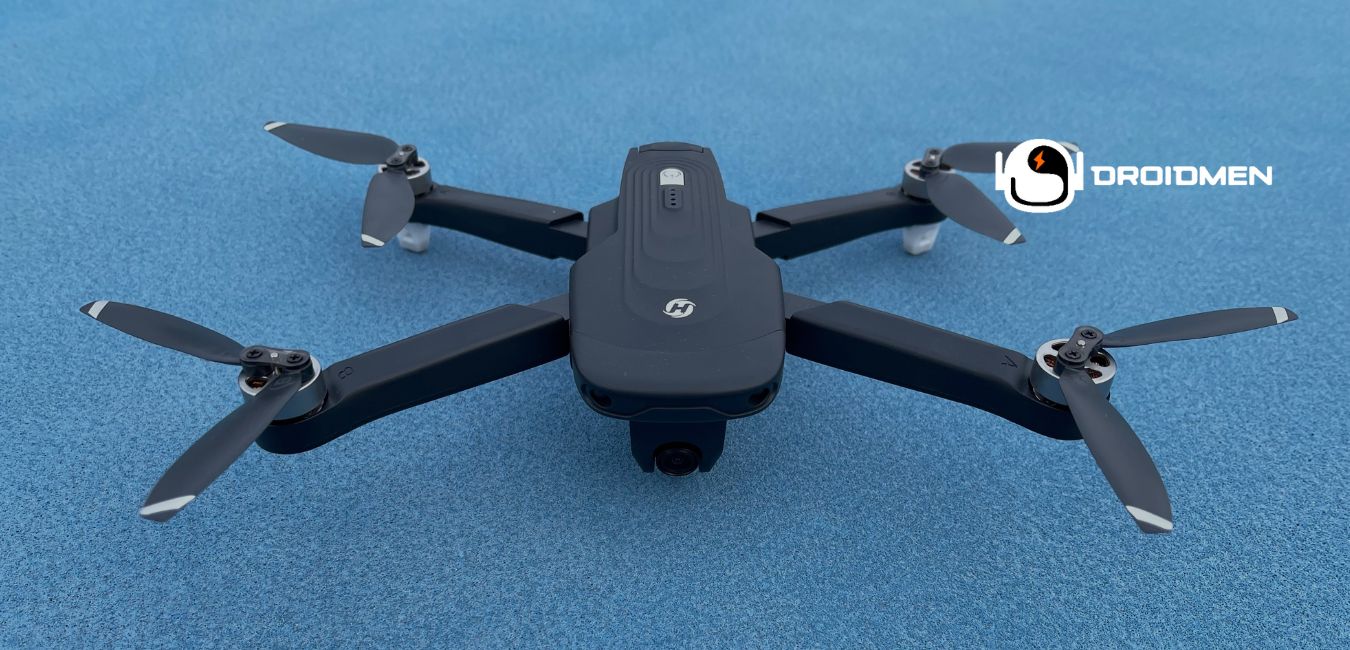
Flying a Holy Stone drone is a fun and exciting experience. This is especially true when you are new to drones. Learn how to fly a Holy Stone drone in this complete article.
Charge the battery and attach the propellers well. Pair the remote with the drone using the manual. Calibrate it for smooth flying. The left stick controls up/down and turning, while the right stick moves it forward/backwards and sideways. Practice takeoff, landing, and hovering in a clear space.
This guide will discuss everything you must know about flying your Holy Stone drone safely and effectively. You will learn about preparing the drone and understanding its controls. You’ll also learn the step-by-step process of taking your first flight.
Table of Contents
Key Takeaways
- Charge And Pair: Fully charge the drone and pair it with the remote before flying to ensure control.
- Calibrate The Drone: Perform the calibration process to align sensors, ensuring stable flight and balanced performance in the air.
- Practice Basic Controls: Master takeoff, landing, and hovering by practicing in a wide, clear area without obstacles around.
Preparing Your Holy Stone Drone
Before flying your Holy Stone drone, you need to prepare it correctly. This involves unboxing it carefully, charging the battery, attaching the propellers securely, and calibrating the drone for a steady flight. Following these steps ensures your drone will fly safely and perform as expected.
Unboxing The Drone
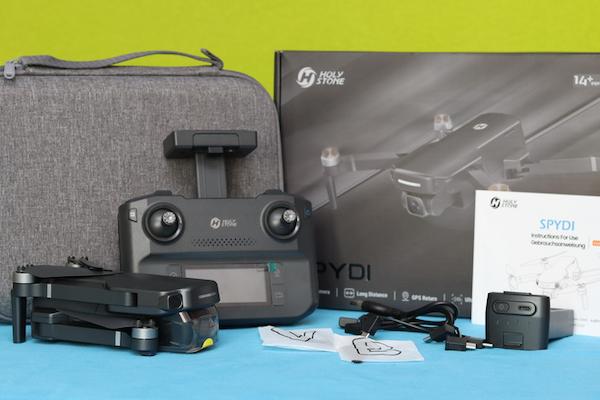
When you first get your Holy Stone drone, carefully unbox it. Inside, you will find the drone, the remote controller, spare propellers, the battery, a charging cable, and a manual. It’s important to keep all these items safe and organized. Unboxing correctly ensures you don’t lose any small parts.
Charging The Battery Fully
Before you can fly, you must charge the drone’s battery fully. Connect the battery to the charger using the provided cable and let it charge. This usually takes a couple of hours, depending on the model. A full battery ensures your drone can fly for the maximum amount of time without sudden power loss.
Installing Propellers Correctly
The drone’s propellers must be installed correctly for stable flight. Each propeller has a specific place, and the manual will guide you in installing them. Mixing up the propellers can cause the drone to lose balance. Make sure each one is securely attached to avoid accidents during flight.
Calibrating The Drone Before Flight
Calibration is important for steady and controlled flight. You must follow the instructions in the manual to calibrate the drone’s sensors. This process helps ensure the drone flies level and doesn’t drift uncontrollably. Without calibration, your drone cannot respond properly to commands.
Downloading The Flight App (If Needed)
Some Holy Stone drones need a flight app for better control. This app lets you use your phone to fly the drone, watch live camera footage, and change settings like flight modes. To find out whether your drone needs the app, check the manual. When it does, download it from the app store and install it before your first flight. This will make controlling the drone easier and give you access to more features.
Understanding Holy Stone Drone Controls
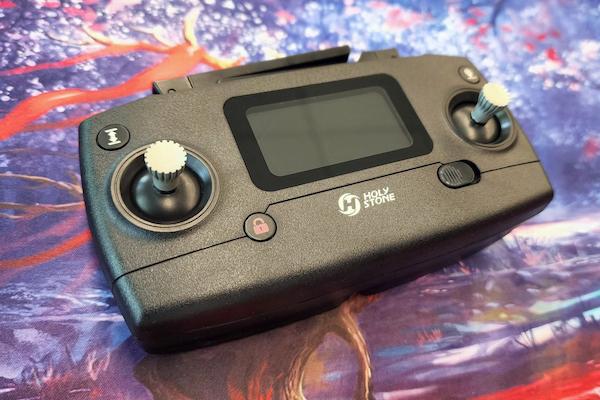
Understanding how to control your Holy Stone drone is important for safe and fun flying. The controller has two main sticks: one controls the drone’s height and turning, while the other moves it forward, backwards, and sideways. Learning these controls will help you fly smoothly and avoid crashes.
Left Stick: Throttle And Yaw
The left stick on your Holy Stone drone’s controller controls two important movements: throttle and yaw. The throttle makes the drone go up when you push the stick up and down when you pull it down. Yaw turns the drone left or right, like steering a car. When you push the stick left or right, the drone rotates in that direction. Learning to use the throttle and yaw together helps you keep the drone steady and fly it exactly where you want to go. This is a key part of becoming a good drone pilot.
Right Stick: Pitch And Roll
The right stick on your Holy Stone drone’s controller controls pitch and roll. Pitch moves the drone forward when you push the stick up and backward when you pull it down. Roll makes the drone slide sideways to the left or right. Learning to control pitch and roll helps you steer the drone in different directions smoothly, making it easier to fly around objects and stay in control.
Takeoff And Landing Buttons
Many Holy Stone drones have special buttons just for takeoff and landing. Pressing the takeoff button makes the drone rise into the air easily without needing to control the sticks. The landing button safely brings the drone back down to the ground. These buttons are very useful for beginners because they make starting and stopping flights simple and smooth. They reduce the chance of crashes or hard landings. It’s a great feature for safe flying.
Trim Controls For Balance
Trim controls on your Holy Stone drone help keep it balanced while flying. When the drone starts drifting to one side or doesn’t stay steady, use the trim buttons to fix its position. For example, when it leans left, press the trim button to adjust it back to the right. This feature is important for making sure the drone flies straight and doesn’t move off course. It helps you stay in control and enjoy a smooth flight.
Emergency Stop Feature
The emergency stop feature on your Holy Stone drone is a safety tool that lets you turn off the motors instantly if something goes wrong. When the drone is flying toward an obstacle or not responding correctly, pressing this button will stop it right away. This helps prevent crashes or damage. It’s important to know where the emergency stop button is. So you can use it quickly in case of trouble during a flight.
Step-By-Step Guide To Flying
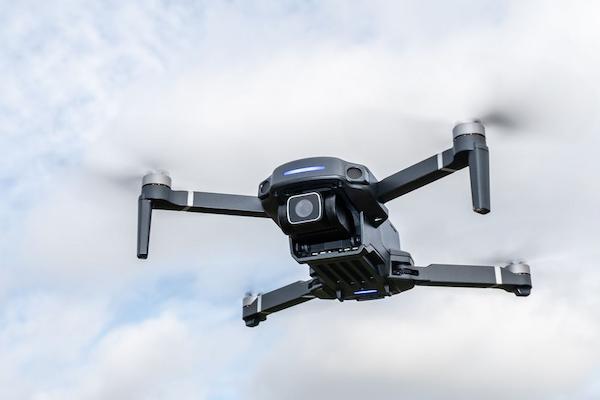
This step-by-step guide will teach you how to fly your Holy Stone drone safely and easily. You’ll learn how to turn it on, pair it with the controller, take it off smoothly, hover for stability, and move it in different directions. Follow these simple instructions to enjoy a successful flight experience.
Step 1: Turn On The Drone
Turn on the drone by pressing its power button. Place the drone on a flat surface to ensure it’s stable. Make sure the area around the propellers is clear, with no objects or obstacles nearby. This helps the drone take off smoothly without hitting anything. Once the drone is on and positioned correctly, it’s ready for flight.
Step 2: Pair The Controller
Turn on the controller and pair it with the drone. Pairing links the controller to the drone, allowing you to control its movements. Follow the steps in your manual to make sure they sync correctly. The process usually involves pressing specific buttons on both the drone and the controller. Once paired, the controller can send signals to the drone, and you’ll be ready for takeoff.
Step 3: Take Off Smoothly
Press the takeoff button or gently push the left stick up to lift the drone into the air. Move the controls slowly to avoid sudden jerks, which can make the drone wobble or become unstable. A smooth takeoff helps the drone stay steady and prevents it from crashing. Once the drone is in the air, let it hover for a few seconds before moving it around.
Step 4: Hover For Stability
After takeoff, let the drone hover in one spot for a few seconds without moving the controls. This helps you check whether the drone is stable and responding correctly to your commands. Hovering gives you a chance to get comfortable with the controls before flying in any direction. It also ensures the drone isn’t drifting or wobbling, which helps prevent accidents during the flight.
Step 5: Fly Forward, Backward, And Sideways
Practice flying the drone in different directions using the right stick. Push the stick up to fly forward, down to fly backwards, and move it left or right to fly sideways. Start with slow movements to keep control of the drone. This practice will help you get comfortable with steering the drone and build your confidence in controlling its direction. It’s important to take your time and master these basic movements.
Safety Tips For Flying
Flying a drone is fun. Still, safety is important to avoid accidents. These safety tips will help you fly your Holy Stone drone safely. By following simple rules like flying in open spaces, avoiding obstacles, and keeping an eye on your drone, you can ensure a safe and enjoyable flight.
Fly In Open, Safe Areas
Always fly your drone in open, safe areas with plenty of space and no people, buildings, or trees nearby. This helps you avoid crashes and gives you more room to practice flying without hitting anything. Open spaces also make it easier to control the drone and see where it’s going. By staying away from obstacles, you can fly more safely and enjoy your drone without worrying about accidents.
Avoid Flying Near Obstacles
Avoid flying your drone near obstacles like power lines, fences, or tall buildings. These objects can cause your drone to crash or get damaged. Even small obstacles can interfere with the drone’s flight and lead to malfunctions. Clear, open spaces are the safest places to fly because there’s nothing in the way. Keeping away from obstacles helps you avoid accidents and keeps your drone in good working condition.
Maintain Visual Line Of Sight
Always keep the drone within your visual line of sight, meaning you must be able to see it clearly at all times. This helps you stay in control and quickly respond if the drone encounters any issues, like drifting or heading toward obstacles. Flying out of sight makes it harder to avoid accidents and can cause you to lose control of the drone. Keeping the drone in view ensures safer flying and quicker reactions.
Monitor Battery Life Closely
Monitor your drone’s battery life closely by checking the battery indicator, which shows how much power is left. Always keep an eye on this to avoid the drone running out of power while flying. It’s important to land the drone before the battery gets too low, as losing power mid-flight could cause it to crash. By paying attention to battery levels, you can ensure a safe landing and avoid damaging your drone.
Avoid Flying In Strong Winds
Avoid flying your drone in strong winds because they can push it off course or make it unstable. Strong gusts can cause the drone to drift or even crash. It’s best to fly on calm days with little or no wind to ensure better control and a stable flight. By choosing the right weather conditions, you can keep your drone safe and avoid accidents caused by unpredictable wind movements.
Troubleshooting Common Issues
Even with careful flying, you can face some problems with your Holy Stone drone. This section covers common issues like pairing troubles, unstable flight, or drifting. By learning how to fix these problems, you can keep your drone working properly and enjoy smooth flights without interruptions.
Drone Won’t Pair With Remote
When your drone won’t pair with the remote, start by making sure both the drone and remote are fully charged and turned on. A low battery can sometimes cause pairing issues. Next, follow the instructions in the manual for the pairing process. This usually involves pressing specific buttons on both the drone and the remote in a certain order.
When pairing still doesn’t work, turn everything off, restart, and try again. Double-check that you are following the steps correctly to establish a connection between the drone and the remote.
Unstable Flight Patterns
When your drone has unstable flight patterns, it can be due to incorrect calibration or unbalanced propellers. Start by re-calibrating the drone, following the instructions in the manual, to reset the sensors. Then, check whether the propellers are correctly attached and balanced. When any propeller is loose or damaged, replace it to ensure smooth flight.
Proper calibration and balanced propellers help keep the drone stable and prevent it from wobbling or drifting during flight.
Camera Feed Lagging (If Applicable)
When the camera feed is lagging, it can be because of a poor Wi-Fi signal or a weak connection between the drone and the controller. Try moving to an area with a stronger signal, away from obstacles or interference. Make sure the drone and controller are within the recommended range for a stable connection.
Reducing the distance between the drone and the controller can also help improve the camera feed. A clear, strong signal will reduce lag and give you smoother video.
Drone Drifting In One Direction
When your drone drifts in one direction, use the trim controls on the controller to correct its balance. These buttons adjust the drone’s position so it flies straight. Additionally, check the propellers to make sure they are properly attached and not damaged. Loose or broken propellers can cause imbalance and drifting.
Once everything is checked and the trim is adjusted, the drone must fly smoothly in the direction you control without drifting.
Lost Drone Signal Recovery
When you lose signal with your drone, activate the return-to-home feature (if your drone has it). This feature automatically brings the drone back to its starting point, helping you recover it safely. When your drone doesn’t have this feature, try moving closer to the drone to regain signal. Ensure you are within the recommended range, and avoid obstacles that could interfere with the connection. Regaining the signal quickly helps prevent losing control of your drone.
FAQs
1. How Do I Connect My Holy Stone Drone To The Remote Controller?
To connect your Holy Stone drone to the remote controller, turn on both devices. Follow the pairing instructions in the manual, by pressing a specific button or combination on the controller. When the lights sync on both the drone and controller, they’re paired, and you can control the drone.
2. What Is The Maximum Range For Flying A Holy Stone Drone?
The maximum range for flying a Holy Stone drone depends on the model, typically between 100 to 300 meters. Check your drone’s manual for the exact range. Flying within this limit ensures better control and a stable connection between the drone and the remote, helping avoid signal loss.
3. How Do I Activate GPS Mode On A Holy Stone Drone?
To activate GPS mode on a Holy Stone drone, first turn on the drone and the remote. Wait for the drone to connect to multiple satellites. This is indicated by solid lights. Follow the instructions in the manual to switch to GPS mode. This ensures stable flight and accurate positioning.
Conclusion
Flying a Holy Stone drone becomes easy once you follow the right steps. First, make sure you prepare the drone correctly by charging the battery, attaching the propellers, and calibrating it. Next, learn the basic controls, such as moving up, down, and turning.
Always remember to follow safety tips, like flying in open spaces and keeping the drone within sight. With practice, you’ll get better at flying, and the more you fly, the more confident you will become. Take your time, be careful, and enjoy the fun of exploring the skies with your drone!