Getting into FPV (first-person view) drones is one of the most exciting ways to experience flying — but it’s also intimidating for beginners. Between goggles, flight modes, regulations, and dozens of drone options, it’s hard to know where to start.
That’s why we created this guide: a clear, up-to-date list of the best beginner FPV drones available in 2025 for US buyers. We’ve focused on drones that are:
- Easy to set up (no complicated builds required)
- Durable enough to survive beginner crashes
- Affordable compared to pro-level racing rigs
- Compatible with popular goggles and controllers
Table of Contents
Quick Comparison Table
| Drone | Price (approx.) | Flight Time | Camera | Video System | Ease of Use |
|---|---|---|---|---|---|
| DJI Avata 2 | $999 (combo) | 18–23 mins | 4K/60fps | Digital HD | Excellent |
| BetaFPV Cetus X FPV Kit | 229 | 5–6 mins | 720p | Digital Lite | Very Beginner Friendly |
| EMAX Tinyhawk III RTF Kit | 299 | 5 mins | 720p | Analog | Great Indoor Trainer |
| GEPRC TinyGO 4K RTF Kit | 349 | 6–7 mins | 4K | Analog/Digital Hybrid | Good Balance |
| Rotor Riot HD1 RTF Kit | $599+ | 10–12 mins | 1080p | Digital HD | Intermediate-ready |
1. DJI Avata 2 (Best Overall Beginner FPV Drone)
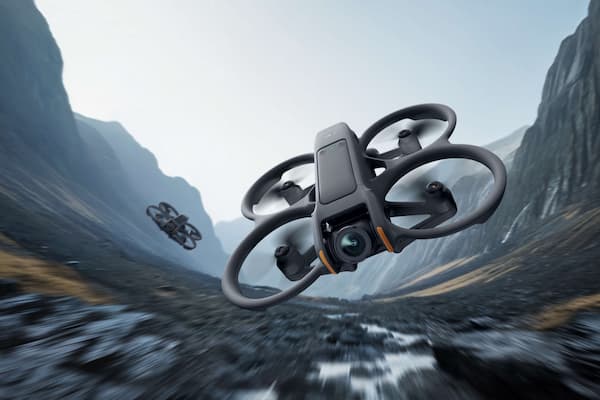
If budget allows, the DJI Avata 2 is the most beginner-friendly FPV system in 2025. It pairs seamlessly with DJI Goggles 3 and Motion Controller 2, offering an intuitive way to fly FPV without the steep acro learning curve.
Pros
- Outstanding 4K/60fps stabilized footage
- Long flight time (~20 minutes) compared to whoops
- GPS features like “Return to Home” for added safety
- Excellent build quality and US support
Cons
- High price point ($999 for combo kit)
- Not crash-proof like smaller whoops
2. BetaFPV Cetus X FPV Kit (Best Budget Starter Kit)
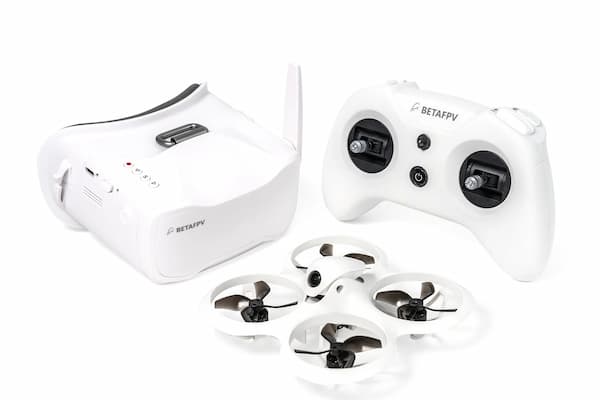
For under $250, the Cetus X Kit gives you everything: drone, goggles, controller, spare parts. It’s designed to help beginners learn Angle, Horizon, and Acro flight modes step by step.
Pros
- Affordable all-in-one kit
- Acro mode for skill progression
- Lightweight, crash-resistant frame
- USB-charged batteries
Cons
- Short flight time (5–6 minutes)
- Limited range compared to higher-end kits
3. EMAX Tinyhawk III RTF Kit (Best Indoor FPV Trainer)
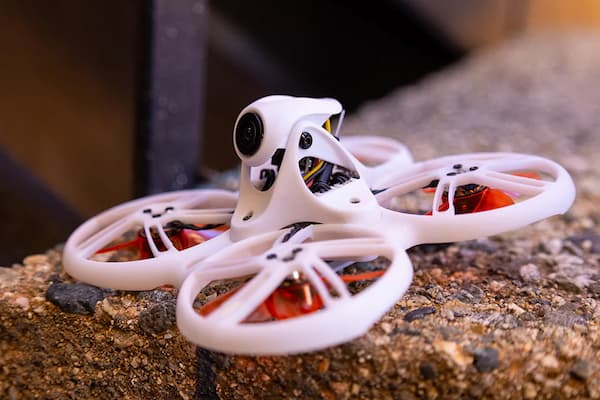
The Tinyhawk III is a durable, indoor-friendly FPV drone with a proven track record for beginners. It comes with goggles and controller, making it a true ready-to-fly solution.
Pros
- Excellent for practicing indoors (gym, living room)
- Lightweight and durable — survives crashes
- Includes FPV goggles and controller
- Strong US community support
Cons
- Analog video (lower quality than digital)
- Short flight time (~5 minutes)
4. GEPRC TinyGO 4K RTF Kit (Best Value 4K Starter)
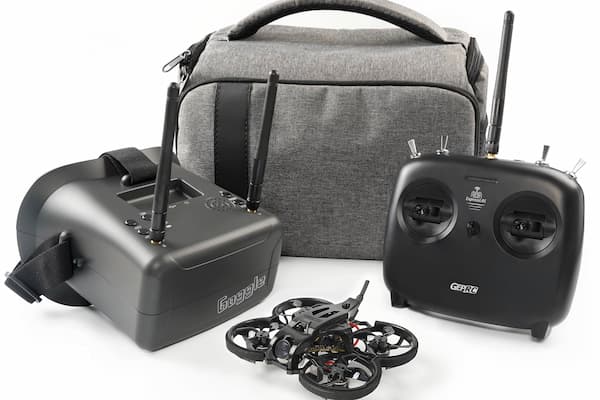
The TinyGO 4K kit is a solid middle-ground option. It records in 4K while still being beginner-friendly. It’s compact enough for indoor flying but powerful enough for outdoor sessions.
Pros
- Shoots 4K video (rare for entry-level kits)
- Comes with goggles and controller
- Great balance of price and performance
Cons
- Flight time only 6–7 minutes
- Analog transmission feels outdated next to DJI HD
5. Rotor Riot HD1 RTF Kit (Best Step-Up Option)
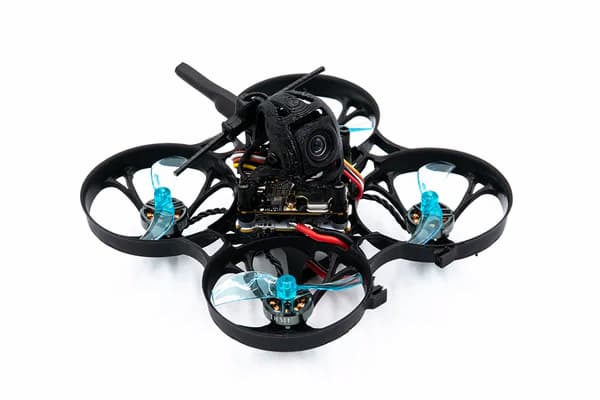
For beginners who already know they want to stick with FPV long term, the Rotor Riot HD1 RTF kit offers pro-grade build quality in a beginner-friendly ready-to-fly package.
Pros
- Custom-built quality from FPV experts
- Digital HD system (clear video feed)
- Great for learning freestyle flying outdoors
- Strong aftermarket support
Cons
- More expensive than entry kits
- Requires more maintenance (prop changes, tuning)
How To Choose The Right Beginner FPV Drone
When shopping for your first FPV drone, keep these factors in mind:
- Video system: Digital (DJI HD) = clearer, pricier. Analog = budget-friendly, lower resolution.
- Durability: Expect crashes. Whoops and ducted props survive better than larger quads.
- Flight modes: Angle (auto-level), Horizon (semi-manual), Acro (full manual). Kits like Cetus X teach progression.
- Support & community: Popular kits have more spare parts, YouTube tutorials, and setup guides.
- Budget: Under $300 = starter kits. $500+ = higher performance, better video, longer use.
FAQs About Beginner FPV Drones
1. Do I Need Goggles To Fly FPV?
Yes — FPV requires goggles or a monitor that receives the video feed from your drone. Most beginner kits include goggles.
2. How Long Do FPV Drones Fly Per Battery?
Typically 4–7 minutes for smaller whoops, up to 20 minutes for DJI Avata. Plan to buy extra batteries.
3. Can I fly FPV Drones Legally In The Us?
Yes, but you must register your drone (if over 250g) with the FAA, follow line-of-sight rules, and avoid restricted airspace. FPV typically requires a visual observer under Part 107 or recreational rules.
4. Should I Start With A Simulator First?
Absolutely. Free or paid FPV simulators (Liftoff, DRL, VelociDrone) help build muscle memory before you crash real drones.
Final Thoughts
Getting started in FPV doesn’t have to be overwhelming. If you want the best all-around experience, the DJI Avata 2 is unbeatable for beginners in 2025. On a tighter budget, the BetaFPV Cetus X or EMAX Tinyhawk III are excellent kits to learn the basics.
Whichever you choose, remember: FPV is about progression. Start in Angle mode, practice in a simulator, and enjoy the journey from beginner to confident pilot.