Table of Contents
Free Drone simulators
Free Drone simulators. Are you looking to improve your drone flying skills without breaking the bank? Look no further! In this comprehensive guide, we will explore the top free drone simulators available in the market. These simulators offer a realistic virtual environment where you can practice flying drones, learn new maneuvers, and even compete with other pilots. Whether you are a beginner or an experienced pilot, these free drone simulators are a valuable tool for honing your skills. Let’s dive in and discover the best options.
1. DRL Drone Simulator: Professional Training At An Affordable Price
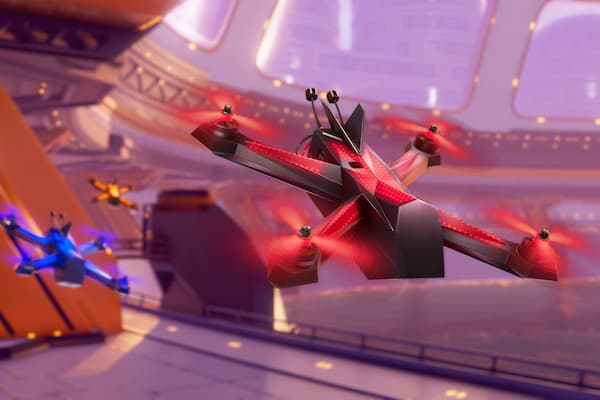
The DRL Drone Simulator is an excellent option for those looking to take their drone flying skills to the next level. Developed by the Drone Racing League, this simulator offers comprehensive training and realistic physics, making it one of the best options on the market. While it is not entirely free, with a price tag of just $2.99, it is an affordable investment for the features it offers.
The training program in the DRL simulator is top-notch. It covers the basics of drone movements, teaching you how to perform loops, navigate through obstacles, and even pop balloons along a track. The custom-made drone used in the simulator provides a realistic flying experience, similar to that of an actual drone. Once you complete the training, you can explore a wide range of scenarios, including stadiums, Air Force bone yards, campgrounds, and even New York City.
One of the standout features of the DRL simulator is its multiplayer mode. You can compete with other pilots and test your skills in a competitive environment. The graphics in the simulator are impressive, adding to the immersive experience. While you can control the drone with an Xbox or PlayStation controller, using a dedicated controller like the Taranis, Turnigy, or Spektrum models will give you a more realistic feel.
Key Features of the DRL Drone Simulator:
- Comprehensive training program
- Realistic physics and custom-made drone
- Wide range of scenarios to explore
- Multiplayer mode for competitive flying
2. ORQA FPV Skydive: Explore Scenic Locations In FPV
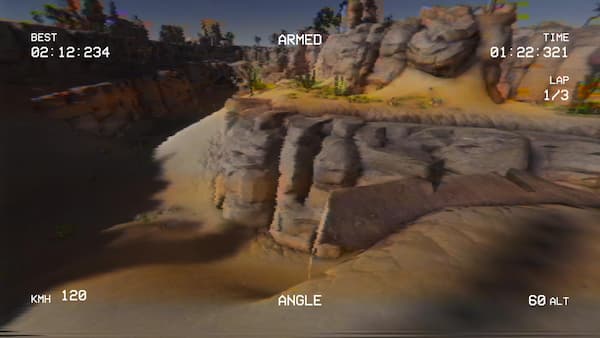
For those interested in FPV (First-Person View) flying, the ORQA FPV Skydive simulator is a fantastic option. ORQA is renowned for its high-quality FPV analog goggles, and they have brought their expertise to the world of simulators. The ORQA FPV Skydive offers a plug-and-play experience, allowing you to fly in various scenarios such as stadiums, racecourses, valleys, construction sites, and more.
The simulator is available for free on Steam and supports multiple input methods, including keyboard, gamepad, and controllers. To get started, all you need to do is calibrate your controller, choose a map, and you’re ready to fly. The gamepad-controller combination is recommended for beginners, as it provides a familiar control scheme. ORQA frequently releases new maps, some of which are free, while others can be purchased to expand your flying options.
Key Features of the ORQA FPV Skydive:
- Free simulator with stunning FPV flying experience
- Multiple scenarios to explore
- Supports keyboard, gamepad, and controller inputs
- Regularly updated with new maps and scenarios
3. Tiny Whoop GO: Master The Art Of Tiny Whoop Flying
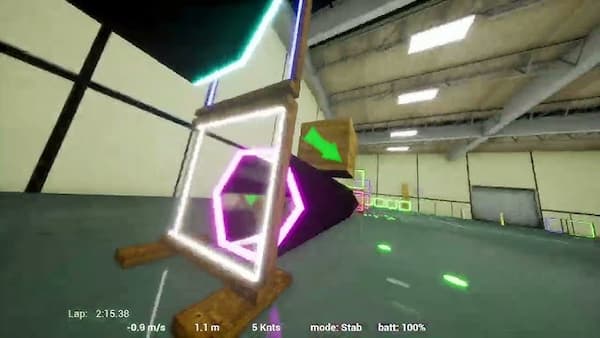
Tiny Whoops are small FPV drones that have gained immense popularity in the drone community. If you’re interested in flying Tiny Whoops, the Tiny Whoop GO simulator is a must-try. Developed by the creators of Tiny Whoop drones, this simulator offers a range of scenarios designed specifically for Tiny Whoop flying.
The Tiny Whoop GO simulator allows you to fly freestyle or join multiplayer sessions to compete with other pilots. It also includes a track builder feature, where you can unleash your creativity and design your own tracks. While the simulator is free, there is an option to purchase additional features, such as the ability to build custom tracks.
Key Features of the Tiny Whoop GO Simulator:
- Specialized simulator for Tiny Whoop drones
- Freestyle flying and multiplayer modes
- Track builder feature for creating custom tracks
- Additional features available for purchase
4. Real Drone Simulator: Explore The Possibilities Of Real Drone Flight

The Real Drone Simulator offers a unique experience that focuses on real-world drone flight mechanisms. While still in development, this simulator provides access to basic drone flight and promises to release mods for racing, photography and videography, and complex missions in the future. Currently available for free on their website, the Real Drone Simulator might introduce a commercial version in the future.
Key Features of the Real Drone Simulator:
- Focuses on real-world drone flight mechanisms
- Mods for racing, photography, videography, and complex missions (future release)
- Free version available on their website
5. DJI Drone Flight Simulator Free Version: Learn From The Leading Drone Manufacturer

If you’re interested in learning how to fly DJI drones, the DJI Drone Flight Simulator is an excellent choice. Developed by the leading drone manufacturer, this simulator offers a realistic flying experience with DJI’s consumer drones. It allows you to simulate wind, ground effects, and even crashes.
The free version of the DJI Drone Flight Simulator provides access to most consumer drones, giving you a taste of what it’s like to fly these high-quality machines. If you opt for the paid version, you can also fly DJI’s enterprise drones and receive hands-on training for various applications. This simulator is particularly useful for those considering purchasing a DJI drone in the future.
Key Features of the DJI Drone Flight Simulator:
- Realistic flying experience with DJI drones
- Simulates wind, ground effects, and crashes
- Free version with access to consumer drones
- Paid version with enterprise drone and training options
6. Crazy Games Drone Simulator: Web-Based Fun For All Skill Levels
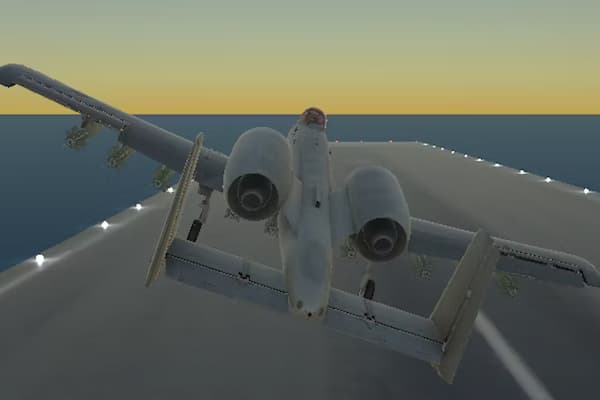
If you’re looking for a web-based drone simulator that doesn’t require any software downloads, the Crazy Games Drone Simulator is a great option. This simulator allows you to fly drones using just your browser and an internet connection. While it may not have the advanced features of other simulators, it offers a fun and cost-free way to experience drone flight.
The Crazy Games Drone Simulator provides “coins” that you can use to purchase your first drone and unlock additional drones as you progress. While ads may be present due to its free nature, it is still a fantastic option for those with slower PCs or those who prefer not to install additional software. Keep in mind that you will have to control the drone using your keyboard, as gamepads or controllers are not supported.
Key Features of the Crazy Games Drone Simulator:
- Web-based simulator accessible through a browser
- Purchase drones using in-game coins
- No software downloads required
- Control the drone using your keyboard
7. FPV Free Rider: Line-Of-Sight And FPV Flying In One Simulator

For those looking for both line-of-sight and FPV flying experience, the FPV Free Rider simulator is a solid choice. While it is not entirely free, with a small fee of $5, you gain access to additional features and tracks beyond the free demo. The FPV Free Rider is a lightweight game that can be played on older or basic PCs without customization.
With up to six sceneries and compatibility with a wide range of FPV controllers, including the DJI FPV controller and gamepads, the FPV Free Rider offers a versatile flying experience. This simulator helps you develop muscle memory on your favorite controller and even has an Android version for on-the-go practice.
Key Features of the FPV Free Rider:
- Line-of-sight and FPV flying in one simulator
- Free demo with the option to unlock additional features
- Lightweight game compatible with a variety of FPV controllers
- Android version available for mobile practice
8. FPV Air 2: Classic Simulator With Affordable Price
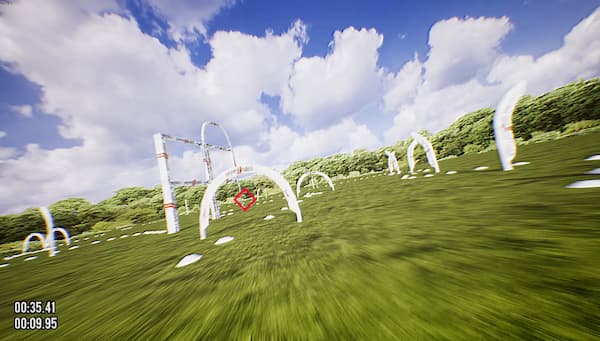
For those looking for a classic drone flight simulator at an affordable price, the FPV Air 2 is an excellent option. With a cost equivalent to a latte ($5), the FPV Air 2 provides access to one of the oldest and most reliable simulators on the market. While it may not have the most advanced graphics, it is compatible with older computers and offers a range of controller settings for easy setup and calibration.
The FPV Air 2 allows you to adjust various quadcopter mechanisms, such as gravity, thrust, drag, propeller size, air density, and air resistance. Free maps are available, and additional maps can be purchased to expand your flying options. The multiplayer and leaderboard features add an extra layer of excitement and competition to the simulator.
Key Features of the FPV Air 2:
- Classic drone flight simulator at an affordable price
- Compatibility with older computers
- Adjustable quadcopter mechanisms for customization
- Free maps with the option to purchase additional ones
- Multiplayer and leaderboard features for added excitement
9. World Adrift Island Creator: An Unexpected Gem For Drone Flight
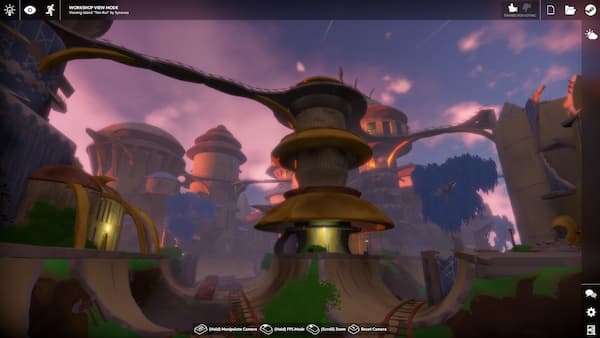
The World Adrift Island Creator is a unique simulator that was initially developed as a game for exploring and building islands. However, during the COVID-19 lockdowns, the creator added a quad mode that allows users to experience drone flight from a bird’s eye view. While it lacks multiplayer, racing courses, and high-end graphics, it provides a simple and enjoyable way to fly drones on your PC.
Key Features of the World Adrift Island Creator:
- Originally a game for exploring and building islands
- Added quad mode for drone flight during lockdowns
- Basic flight principles with a focus on fun
- Available only on Windows devices
10. Flowstate: A Promising Simulator Still Under Development
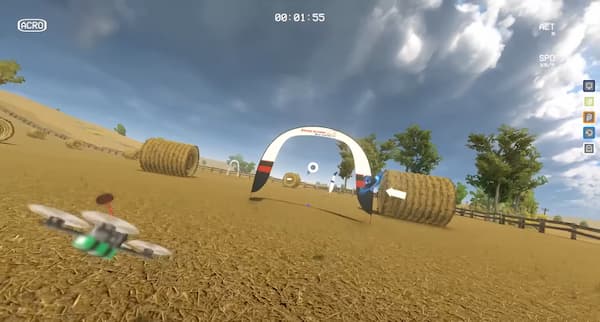
Flowstate is a promising drone flight simulator that is currently available for free on Steam. While it is still under development, it offers a good balance of graphics and physics, providing an immersive flying experience. Although future changes may occur, the current version of the simulator offers a stable and enjoyable experience for drone enthusiasts.
Key Features of Flowstate:
- Free simulator with good graphics and physics
- Immersive flying experience
- Still under development, potential for future improvements
Conclusion: Enhance Your Drone Flying Skills With Free Simulators
Free drone simulators are a fantastic resource for pilots of all skill levels. Whether you’re a beginner looking to learn the basics or an experienced pilot wanting to refine your maneuvers, these simulators offer a safe and cost-effective way to improve your drone flying skills. The DRL Drone Simulator, ORQA FPV Skydive, Tiny Whoop GO, Real Drone Simulator, DJI Drone Flight Simulator, and Crazy Games Drone Simulator are just a few examples of the great options available. Choose the one that best suits your needs and start practicing today! Remember, practice makes perfect, and with these free simulators, you’ll be soaring through the skies in no time.