How do you charge a drone battery? This is a common question for new and seasoned drone users alike, as proper charging is crucial for battery health, safety, and longer flight times.
To charge a drone battery, connect it to the original or compatible charger, plug it into a stable power source, and monitor the charge level. Avoid overcharging, place it on a non-flammable surface, and let it cool before use. Proper charging extends battery life and ensures safe operation.
In this guide, we’ll explain the essential steps, safety tips, and best practices for ensuring your drone is always ready to take flight safely and efficiently.
Table of Contents
Key Takeaways
- Use Original Charger: Ensure safe and efficient charging by using the original charger with a stable power source.
- Charge on Safe Surface: Place the battery on a non-flammable surface and monitor it to avoid overheating or overcharging.
- Allow Battery to Cool: To extend its lifespan and maintain safety, let the battery cool before and after charging.
Types Of Drone Batteries
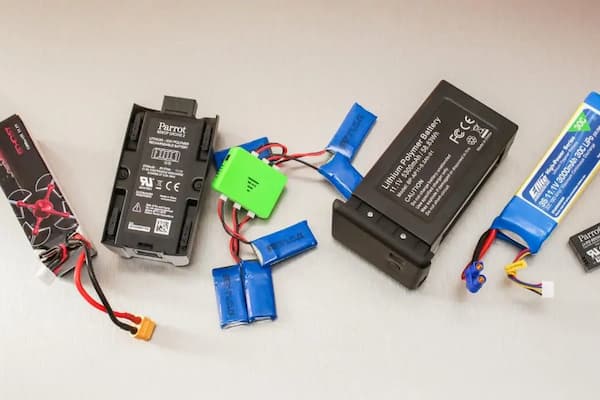
Drone batteries power the flight and affect performance, charging time, and safety. Understanding the types can help you charge and use them safely.
Lithium-ion (Li-ion) Batteries
Li-ion batteries are standard in many devices, including drones. They offer steady power, long life, and reliability. Unlike other batteries, Li-ion ones do not develop a “memory.” You can recharge them before they are fully drained without losing battery life. They are easy to maintain but can overheat if handled wrong.
- Capacity and Weight: Li-ion batteries are lighter than most yet hold a good charge, making them ideal for drones.
- Safety: These batteries are more stable than others but can overheat with improper charging. Always use the correct charger and never overcharge.
- Charging: Charge these batteries at room temperature to avoid overheating. Use a charger that cuts off when the battery is full.
Lithium-Polymer (Lipo) Batteries
LiPo batteries provide more power for their size and are often used in high-performance drones. They’re popular due to their lightweight and high energy capacity, which means drones can fly longer and perform better. However, LiPo batteries need careful handling to avoid damage or accidents.
- Capacity and Weight: LiPo batteries are lightweight and store more energy in smaller sizes, which gives drones better flight times.
- Safety: LiPo batteries are more sensitive than Li-ion batteries. Swelling or overheating indicates a problem. Damaged LiPo batteries must be replaced immediately.
- Charging: Always use a compatible LiPo charger. If charged incorrectly, it can overheat or even catch fire. Store it in a fireproof bag or container for safety.
Both Li-ion and LiPo batteries require care for long-lasting use. Proper charging methods, avoid overcharging, and use the correct charger will ensure your drone’s safety and performance.
Charging Equipment Needed
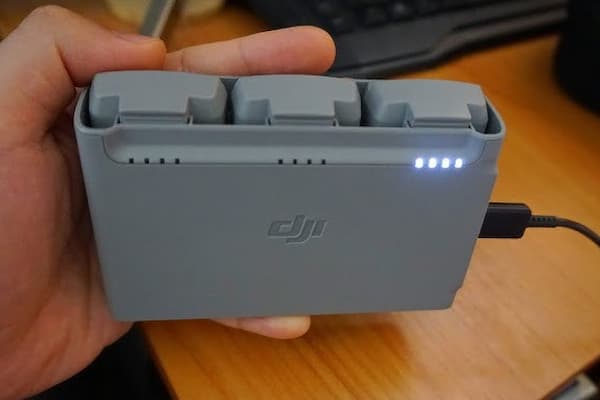
You need specific equipment to safely charge a drone battery. Each item listed below helps ensure that your battery charges quickly and safely.
Drone-Specific Charger
Each drone has a charger designed specifically for its battery type. This charger supplies the right amount of power without overheating or damaging the battery. Look for chargers labeled for your drone’s brand and model. Using the correct charger keeps the battery lasting longer and charging efficiently.
USB Charging Cable
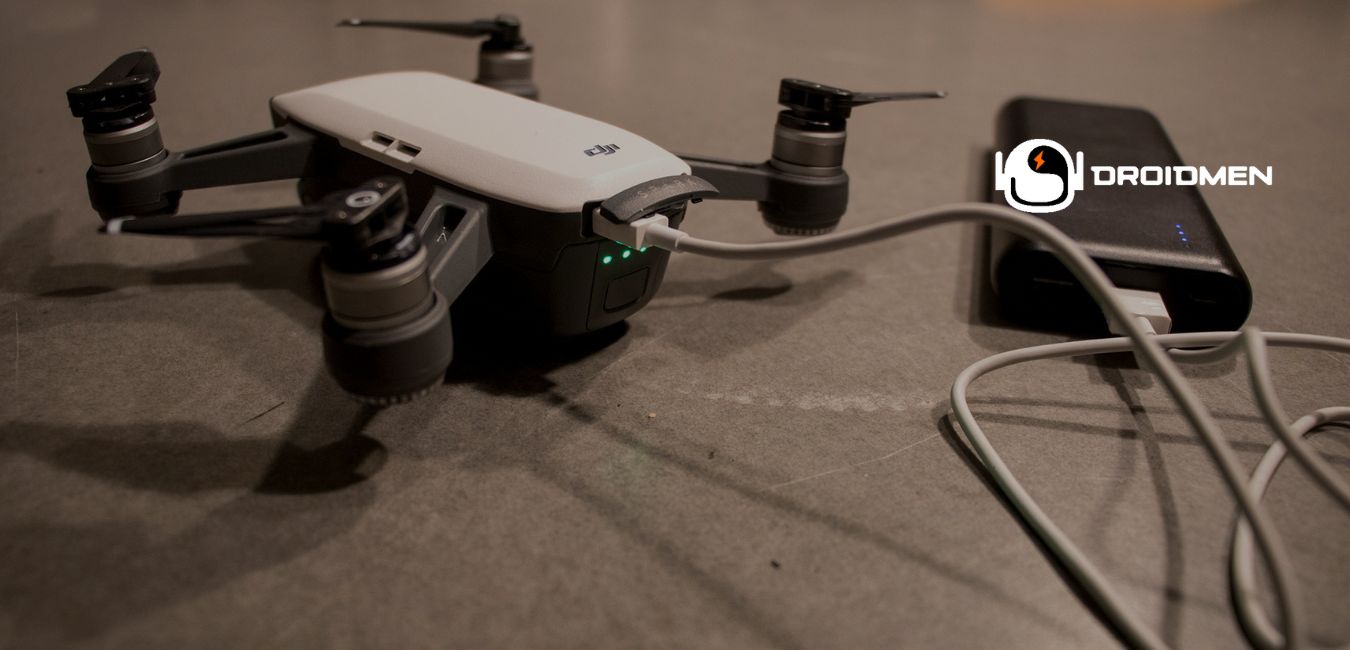
For some smaller or beginner drones, a USB charging cable connects the battery to a USB port for charging. You can use these cables with a power adapter, laptop, or portable battery pack. Always check that the USB cable fits securely in the battery port, as loose connections can slow charging or harm the battery over time.
Battery Charging Hub
A charging hub charges multiple batteries at once. If you fly often or for long periods, this equipment saves time by allowing you to charge several batteries together.
Some hubs even show each battery’s charging status, so you know when each one is ready to go. Ensure the hub is compatible with your specific battery type and fits your charging needs.
Voltage And Wattage Requirements
Check the voltage and wattage of your battery and charger to match them correctly. Voltage measures the power flow rate, while wattage shows the power usage per unit of time. The correct voltage and wattage protect the battery from overheating and ensure safe charging. Always follow the voltage and wattage guidelines in your drone’s manual.
Steps To Charge A Drone Battery
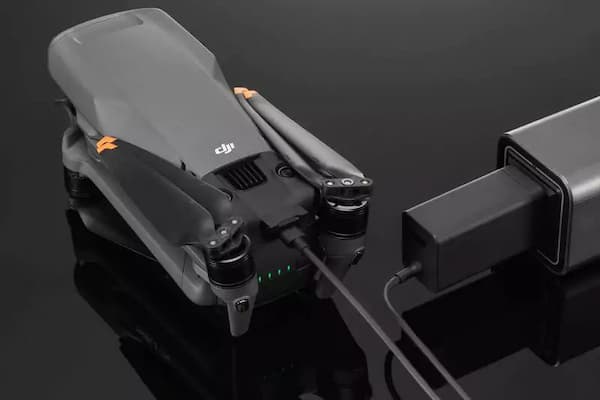
Charging a drone battery takes care and attention. Following a few steps can keep the battery safe and extend its life. Here’s how to prepare and charge a drone battery effectively.
Step 1: Prepare The Battery
To charge your drone battery safely and effectively, start by following these key steps:
Ensure The Battery Is Cool And Dry
Before charging, check if the battery feels cool to the touch. Heat can harm the battery cells and may lead to swelling, reducing the battery’s lifespan. If it feels warm, let it sit for a few minutes until it cools. Also, keep the battery dry and away from any moisture to prevent damage to the battery or charging port.
Inspect For Any Damage
Look closely at the battery for signs of wear or damage. Cracks, swelling, or leaks can cause safety issues during charging. Damaged batteries may overheat or even leak, posing safety risks. If you find any damage, do not charge the battery. Instead, replace it to keep your drone safe.
Check Charge Levels
Checking the charge level before charging ensures the battery charges optimally. Some batteries have indicator lights or a display showing their current charge. If the battery level is low, it’s ready for a full charge. Avoid charging it if it already has a high charge, as overcharging may shorten the battery life.
Step 2: Connect To The Charger
After getting your battery ready, the next step is to connect it to a charger. It’s crucial to handle this step carefully to avoid any damage to the battery or the drone. Here’s how to connect your battery for a safe charge:
Use A Compatible Charger
Each drone model has a unique charger design to fit its specific battery type. Always use the charger that matches your drone model. Using a compatible charger keeps your battery safe and helps prevent overheating, which can happen if you use the wrong one.
Plug In The Charging Cable Securely
Once you have the correct charger, plug the charging cable firmly into the battery. A loose connection can lead to slow charging or cause the battery not to charge. Ensure the cable snaps in or clicks into place, showing it’s secure. This helps keep the charging process steady and efficient.
Connect To A Power Source
With everything connected, plug the charger into a reliable power source. Depending on the charger type, you can use a wall outlet, a power bank, or even a USB outlet. Avoid using outlets with power issues, as they can harm the battery or slow the charge. The power source should be stable to ensure the battery charges properly and is ready for your next flight.
Step 3: Monitor The Charging Process
Once you start charging, watch the battery as it powers up. Monitoring prevents issues like overcharging and ensures your battery doesn’t get too hot. Here’s what to focus on while charging:
Watch For Indicator Lights
Most drone chargers have indicator lights. These lights tell you the charging status, like when the battery is still charging, nearly done, or fully charged. Green lights usually mean the battery is ready, while red or flashing lights show it’s still charging. Always keep an eye on these lights to know the status.
Avoid Overcharging The Battery
Overcharging can shorten the life of your battery and even cause overheating. Once you notice the indicator light showing a full charge, it’s time to disconnect. Plugging the battery in too long can make it wear out faster. Check on it regularly and unplug it promptly.
Disconnect When Fully Charged
As soon as your battery is fully charged, unplug it from the charger. Leaving it connected can cause overheating and reduce the battery’s lifespan.
Once disconnected, allow the battery to cool down if it feels warm before using it in your drone. This step helps your battery last longer and work efficiently.
Tips For Safe Charging
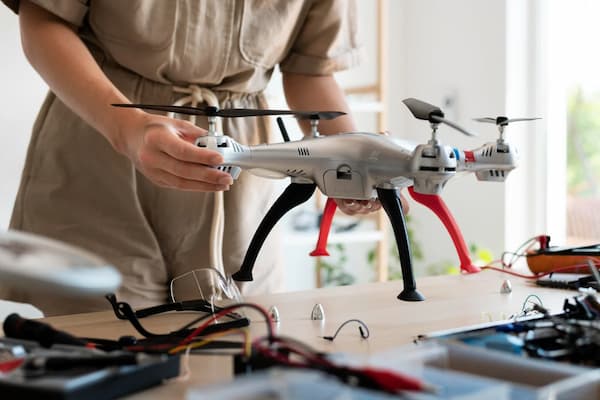
Charging a drone battery safely is key to keeping it in good shape and protecting your surroundings. Following safety tips can prevent overheating and reduce risks. Here’s what to remember when charging a drone battery:
Avoid High-Temperature Areas
Charge your drone battery in a cool spot. High temperatures can damage the battery and even cause it to swell or leak. If a battery heats up too much, it may shorten its lifespan or fail completely. Keep it out of direct sunlight and away from hot appliances or areas where the temperature can rise quickly.
Use Fire-Resistant Charging Bags
Fire-resistant charging bags add an extra layer of protection. These bags contain any flames if the battery overheats or catches fire. Always place your battery inside a charging bag before you plug it in. Fireproof bags protect you and your space from potential hazards and are especially helpful if you charge your battery often or in different places.
Charge In A Well-Ventilated Space
Ventilation is important because it keeps the battery cool and prevents heat from building up. If heat can escape, the risk of overheating goes down. Choose an open area with good airflow, and avoid enclosed spaces like cabinets. A well-ventilated spot makes charging safer and helps your battery last longer.
Maximizing Battery Lifespan
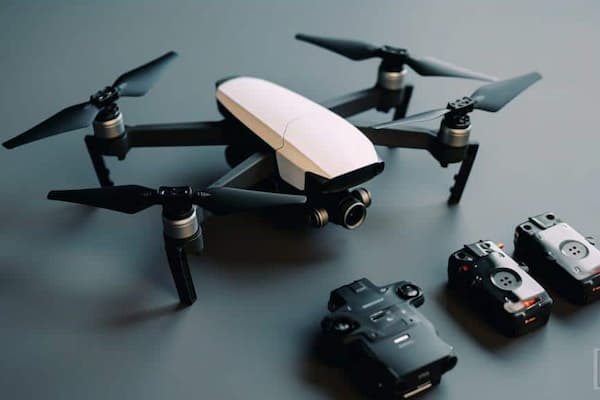
Caring for your drone’s battery keeps it running well for a long time. Simple steps during charging and storage can make a big difference. Let’s look at key ways to get the most life out of your drone’s battery.
Typical Charging Duration
Charging time for drone batteries varies but usually takes around one to two hours. Check your drone’s manual for exact times, as charging too quickly or too long can reduce battery health. When it reaches full charge, disconnect the battery to prevent overheating.
Avoid Full Discharge Regularly
It’s best to avoid letting the battery drain completely before recharging. Regular full discharges put extra strain on the battery, shortening its lifespan. Instead, aim to recharge when the battery level is around 20-30%. This habit keeps your battery healthier over time.
Store Batteries In Cool Places
Heat can harm battery life, so always store batteries in a cool, dry spot. Avoid leaving them in direct sunlight or in hot areas, like inside a car. Ideal storage temperatures are between 50°F and 77°F. Keeping them cool helps maintain their power and extends their lifespan.
Use Balanced Charging Modes
Many modern drone chargers offer a “balanced” mode, which charges cells evenly and prevents overloading. This mode helps each cell within the battery work well, keeping the battery running smoothly for longer. Balanced charging is essential for LiPo batteries, which are often used in drones.
Follow Recommended Charging Cycles
Charging cycles refer to how often a battery gets charged and discharged. Follow the cycle recommendations from your drone’s manufacturer. Many drones are designed to handle a set number of cycles. Sticking to these limits helps prevent overuse, keeping the battery strong and reliable for longer.
Troubleshooting Common Charging Issues
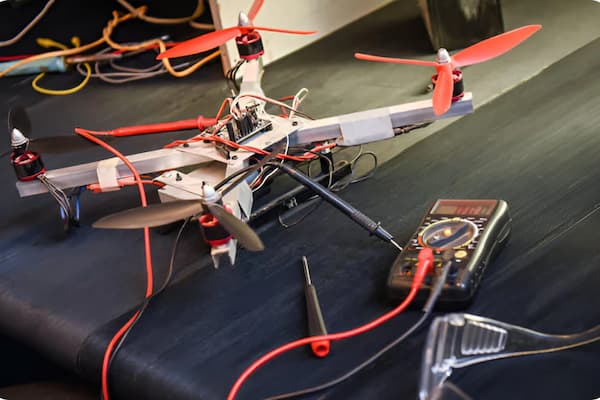
When charging a drone battery, problems can sometimes arise. Identifying and fixing these issues helps keep your drone ready to fly. Here’s how to troubleshoot common problems:
Battery Not Charging Fully
Once the battery isn’t charging completely, check the charging cable for frays or damage, and make sure the charger and battery connectors are clean. Dust or dirt can block a full charge. Additionally, always use the recommended charger for your battery model. Using a different charger can sometimes limit the battery’s charge capacity.
Charger Overheating Issues
Charger overheating may occur if it works too hard or is used in a hot area. If your charger feels hot, stop charging and let it cool. Keep the charger on a hard, heat-resistant surface. Avoid carpets, beds, or other soft areas, as these can trap heat. If overheating continues, consider replacing the charger to prevent further issues.
Damaged Or Swollen Batteries
A damaged or swollen battery is unsafe. Do not use it if you see swelling, cracks, or leaks. Swollen batteries can overheat or even catch fire. Replace it with a new battery immediately and avoid charging a damaged battery, as this can cause more harm. Always store and handle batteries carefully to prevent damage.
Power Source Incompatibility
Using the wrong power source can lead to charging problems. Always use an outlet that matches the charger’s requirements. Some chargers need specific voltages, so check the charger’s label. Avoid using weak power sources like computers, as these may not provide enough power for full charging.
Indicator Lights Not Working
If the charger’s indicator lights don’t work, it may be hard to tell if the battery is charging. Check the connections between the battery and charger. A loose connection could prevent charging and turn off the lights. If the lights still don’t work, try another charger to see if the problem is with the charger or the battery.
FAQs
1. Can I Use A Charger From A Different Brand With My Drone Battery?
Using a charger from a different brand with your drone battery is generally not recommended. Chargers are designed for specific voltage and current requirements that match the battery’s needs—using an unapproved charger risks overcharging, overheating, or damaging the battery, reducing its lifespan.
2. Can You Charge A Drone Battery With A Solar Charger?
Yes, you can charge a drone battery with a solar charger, but it requires a solar charger with adequate output to match the drone’s power needs. Look for portable solar setups with USB or DC outputs compatible with your drone battery. Charging times may vary based on sunlight and charger efficiency.
3. Is It Safe To Leave My Drone Battery Charging Overnight?
Leaving your drone battery charging overnight is generally unsafe. Overcharging can cause overheating, reduce battery lifespan, or create fire hazards. Most manufacturers advise unplugging once fully charged. Use a smart charger with auto shut-off if needed for safer, unattended charging.
Conclusion
Safe, efficient drone battery charging keeps it ready for any adventure. You can extend battery life and enjoy smooth flights by following simple steps. Use the correct charger. Keep the device away from heat. Watch the charging times.
Always monitor the charge, unplug when it’s done, and store batteries in a cool place. This will protect your battery and drone and keep them ready for the next flight. Remember, well-charged batteries mean less time grounded and more time in the sky! Enjoy flying and explore confidently, knowing your drone’s power is in good shape.