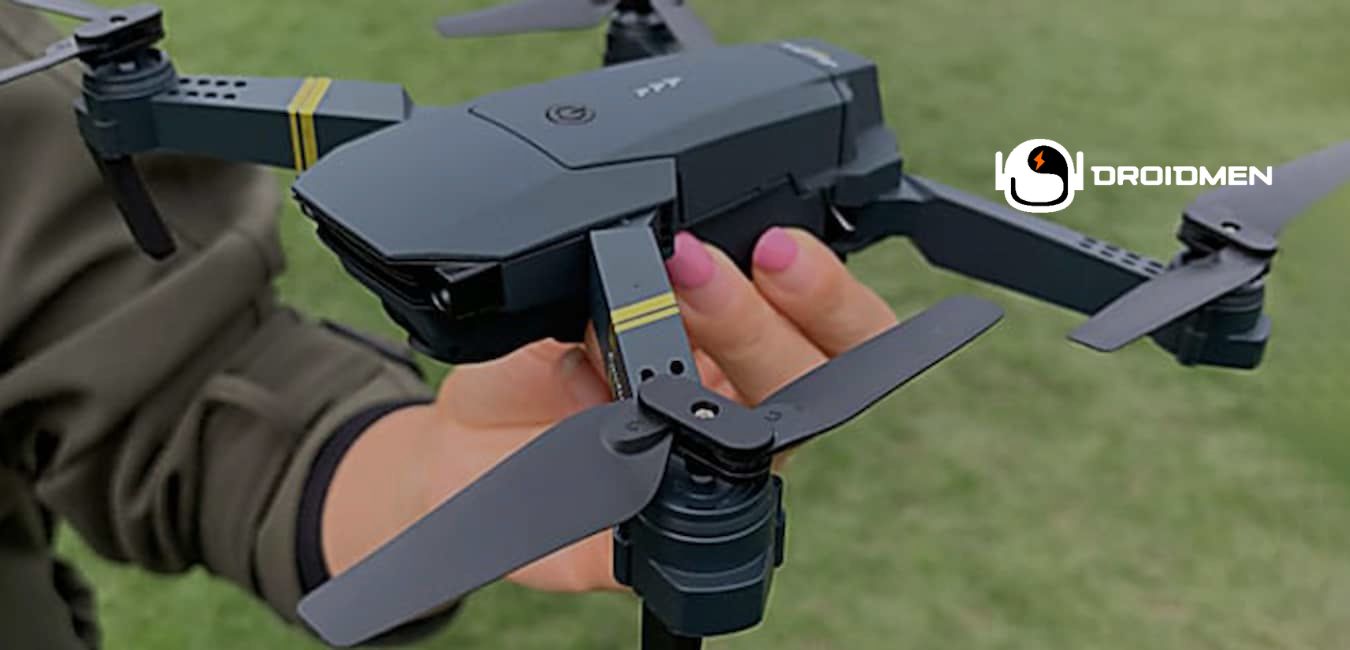
Flying a drone can be an exciting and rewarding experience. The Blackbird 4K drone is known for its high-quality camera and advanced features, making it a popular choice for beginners and experienced pilots. Learn how to fly the Blackbird 4K drone in this complete article.
To fly the Blackbird 4K drone, first, unbox and inspect it. Then, charge the batteries fully, install the propellers, and set up the remote controller. Learn the primary flight controls. For example, stick movements and flight modes. Perform a pre-flight checklist, then initiate takeoff.
This article will guide you through the steps necessary to fly your Blackbird 4K drone, from preparation to advanced flight techniques. Read this extensive article to learn more.
Table of Contents
Key Takeaways
- Prepare The Drone: First, unbox, fully charge batteries, securely install propellers, and adequately set up the remote controller.
- Learn Controls: Understand stick movements, explore flight modes, and practice basic maneuvers in a safe, open area.
- Takeoff And Land: Complete a pre-flight checklist, initiate takeoff and practice flying. Then, of course, ensure a safe landing.
Preparing Your Blackbird 4K
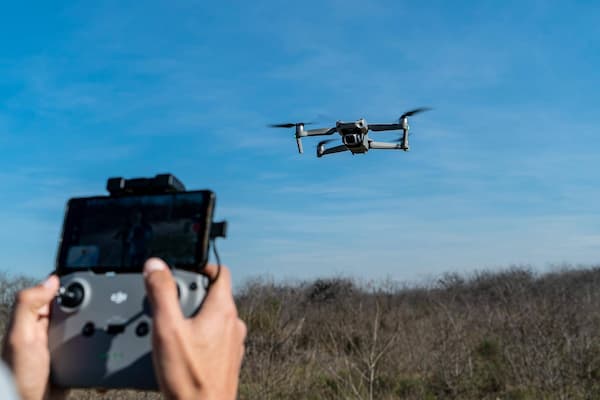
Preparing your Blackbird 4K drone is the first step to a successful flight. This involves unboxing and inspecting the drone, charging the batteries, installing the propellers, and setting up the remote controller. Following these steps ensures your drone is ready for safe and fun flying.
Unboxing And Inspection
When you get your Blackbird 4K drone, carefully open the box and look at all the parts. Make sure everything listed in the manual is there. Check for any damage from shipping. The box must include the drone, remote controller, propellers, batteries, charger, and other accessories.
Taking your time with this step ensures your drone is ready to fly safely.
Charging Batteries
Before flying your Blackbird 4K drone, fully charge the batteries. This usually takes a few hours, and it’s important for a long flight time. Use the charger that came with the drone and follow the instructions in the manual.
This helps prevent any damage to the batteries and ensures they work correctly.
Installing Propellers
Attach the propellers to the drone by matching their labels to the labels on the drone’s arms. Ensure they fit securely but don’t tighten them too much, as this could damage the threads. Properly installed propellers are essential for safe and stable flight, so take your time with this step.
Remote Controller Setup
Insert the batteries into the remote controller and connect it to your drone. Follow the pairing instructions in the manual to sync the controller with the drone. Take some time to learn about the buttons and controls on the remote.
Understanding these will help you control the drone better and ensure a smooth flying experience.
Basic Flight Controls Of Blackbird 4K
Understanding the basic flight controls of your Blackbird 4K drone is essential for safe and fun flying. This section will guide you through the functions of the remote controller, how to move the sticks to control the drone, the different flight modes, and essential safety tips to follow.
Understanding Remote Functions
The remote controller has two main sticks that you use to control the drone’s movement. One stick usually controls the drone’s height and rotation, while the other controls its direction (forward, backwards, left, and right). There are also buttons for extra features, like taking photos or videos. Learning these functions helps you fly the drone easily and safely.
Learning Stick Movements
The left stick controls the drone’s altitude (up and down) and rotation (turning left and right). The right stick controls the drone’s movement direction: forward, backwards, left, and right. Practice using these sticks to understand how the drone responds to your inputs. This practice will help you fly the drone smoothly and confidently.
Familiarizing With Modes
The Blackbird 4K drone has various flight modes, such as beginner, GPS, and sport. Each mode provides different control levels and speeds. Start with beginner mode to learn the basics safely.
As you become more comfortable, try GPS mode for stable flying and sport mode for faster, more advanced maneuvers.
Safety Precautions
Always fly your drone in open areas away from people, buildings, and obstacles. Keep the drone’s firmware updated and check for any warnings in the app or manual before flying. Understand and follow local regulations about drone use to avoid any legal issues. These precautions help ensure a safe and enjoyable flying experience.
Takeoff And Landing Procedures
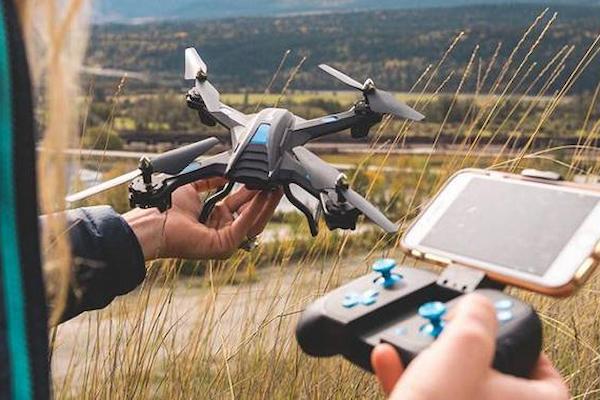
Takeoff and landing are crucial parts of flying your Blackbird 4K drone. This section will guide you through the steps to ensure a safe takeoff, flying, and landing. You’ll learn about pre-flight checks, starting and controlling your drone in the air, and techniques for a smooth landing.
Pre-Flight Checklist
Before taking off, go through a pre-flight checklist. Ensure the batteries are fully charged and the propellers securely attached. Confirm that the remote controller is paired with the drone and that you have a strong GPS signal. Completing this checklist helps ensure a safe and successful flight.
Initiating Takeoff
To initiate takeoff, place the drone on a flat surface. Use the takeoff button on the remote or app. The drone will lift off and hover a few feet above the ground. Maintain control and avoid sudden stick movements to keep the drone steady. This ensures a smooth and safe start to your flight.
Maneuvering In The Air
To control your Blackbird 4K drone in the air, practice basic maneuvers like hovering in one spot, rotating in place, and moving forward, backwards, left, and right. Keep your stick movements smooth and gradual to maintain control.
This practice helps you learn how the drone responds to your commands, making your flights more stable and safe. Mastering these basic movements will prepare you for more advanced flying techniques.
Safe Landing Techniques
When landing your Blackbird 4K drone, select a flat surface. Slowly lower the drone using the left stick, and use the landing button if available. Ensure the drone touches down gently to prevent damage to the propellers or other parts.
Smooth and controlled landings ensure your drone stays in good condition for future flights.
Advanced Flight Techniques
Advanced flight techniques allow you to make the most of your Blackbird 4K drone. This section will teach you to use GPS features, explore intelligent flight modes, capture amazing aerial footage, and navigate obstacles. Mastering these skills will enhance your flying experience and creativity.
Utilizing GPS Features
The Blackbird 4K drone has GPS features that help with stable flight and return-to-home functions. When the drone loses connection or the battery gets low, GPS ensures it safely returns to you. Use these features to keep your drone flying smoothly and to prevent it from getting lost. This adds an extra layer of safety and reliability to your flights.
Exploring Intelligent Flight Modes
The Blackbird 4K drone has intelligent flight modes like Follow Me, Waypoints, and Orbit. These modes let the drone fly automatically in preset patterns. “Follow Me” tracks your movement, “Waypoints” follows a path you set, and “Orbit” circles around a point. These modes help you capture complex shots easily and enhance your flying experience.
Capturing Stunning Aerial Footage
Fly smoothly and steadily for high-quality aerial footage. Use the gimbal controls to adjust the camera angle for the best view. Experiment with different camera settings, like resolution and frame rate, to find the best. Practicing these techniques will help you capture clear and beautiful videos from the sky.
Navigating Obstacles
Use the Blackbird 4K drone’s sensors and obstacle avoidance features to navigate around obstacles. Practice flying in various environments to enhance your skills and confidence. This will help you avoid crashes and keep your drone safe while flying. The more you practice, the better you will handle unexpected challenges during your flights.
Troubleshooting And Maintenance
Troubleshooting and maintenance are vital to keeping your Blackbird 4K drone in top condition. This section will guide you through common flight issues, diagnosing and solving problems, cleaning and maintaining your drone, and updating the firmware. Proper care ensures safe and enjoyable flights.
Common Flight Issues
Be aware of common flight issues like signal loss, GPS problems, and battery warnings. Knowing these issues helps you address them quickly. For signal loss, try moving to an open area. For GPS problems, wait for a stronger signal. For battery warnings, land the drone immediately and recharge. Understanding and handling these problems ensures safer flights.
Diagnosing And Resolving Problems
When encountering problems with your Blackbird 4K drone, refer to the manual for troubleshooting tips. Use the app to check the drone’s status and follow the recommended steps to resolve issues. This can include recalibrating sensors, updating firmware, or adjusting settings. These steps will help you fix problems quickly and keep your drone flying smoothly.
Cleaning And Maintenance Tips
Regularly clean your Blackbird 4K drone, focusing on the propellers and camera lens. Keep the drone dry and store it safely when not in use. Perform routine checks to ensure all parts are in good condition. This includes inspecting the propellers, battery, and sensors. Proper cleaning and maintenance help your drone perform well and last longer.
Firmware Updates
Keep your Blackbird 4K drone’s firmware updated to ensure smooth operation and access to the latest features. Check the manufacturer’s website or app regularly for update notifications and follow the provided instructions.
Updating the firmware helps fix bugs and improve performance, ensuring a better flying experience.
FAQs

1. Can I Adjust The Flight Speed And Altitude Of The Blackbird 4k Drone?
Yes. You can adjust the flight speed and altitude of the Blackbird 4K drone. Use the remote controller to change speed settings and control altitude. These adjustments help you tailor the drone’s performance to your flying needs and skill level. This ensures a safe and enjoyable flight.
2. How Do I Initiate Takeoff And Landing With The Blackbird 4K Drone?
To initiate takeoff with the Blackbird 4K drone, place it on a flat surface and press the takeoff button on the remote or app. For landing, use the left stick. This is to slowly lower the drone. You can also press the landing button. Always ensure a gentle touchdown. This is to prevent damage.
3. Can The Blackbird 4K Drone Be Flown In Windy Conditions?
Yes. The Blackbird 4K drone can be flown in mild, windy conditions. Still, it’s best to avoid strong winds. Then the drone’s stability and control can be affected. Always check the weather. This is before flying. Also, exercise caution. This is to ensure a safe flight experience. Enjoy a safe flight!
Conclusion: How To Fly The Blackbird 4K Drone?
Flying the Blackbird 4K drone is an exciting adventure, but it requires careful preparation and practice. Start by learning the basics, such as setting up the drone, understanding the remote controls, and practicing takeoff and landing.
As you become more confident, you can try advanced techniques like using GPS features and capturing stunning aerial footage. Always check your drone before each flight, keep it clean, and update the firmware.
Safety must always come first. With patience and practice, you’ll enjoy many successful flights with your Blackbird 4K drone.