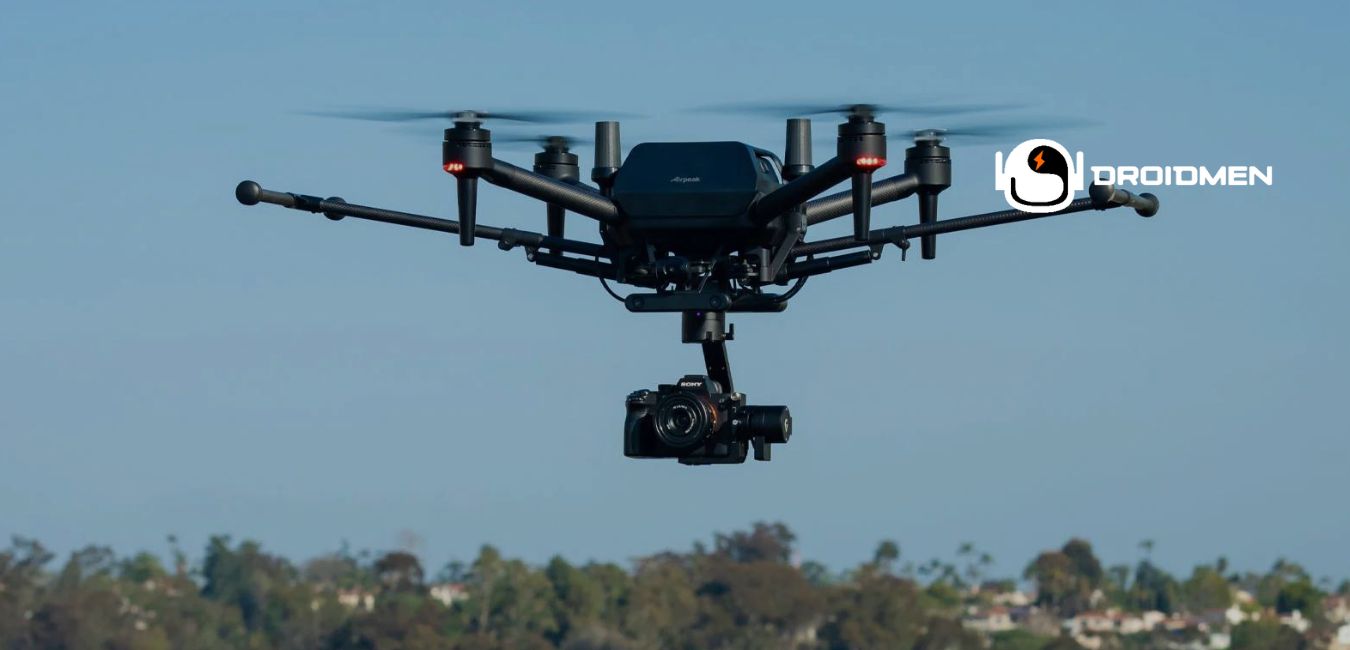
You must have heard the term gimbal if you are a drone owner. What is the gimbal on a drone? Aren’t you clear about it? Read this complete article to get a clear understanding.
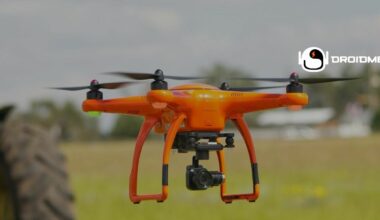
A gimbal is a tool that keeps a drone’s camera steady while flying, even when the drone moves or faces the wind. It uses motors and sensors to adjust the camera’s position. It ensures videos and photos stay smooth without shaking. This makes it vital to take clear pictures and videos from the air.
That’s why the gimbal is a valuable tool for both hobbyists and experts who want to take high-quality photos and videos with their drones.
Table of Contents
Key Takeaways
- Stabilization: A gimbal keeps the camera steady, reducing shakiness when a drone moves or faces the wind.
- Multi-Axis Control: Gimbals use two or three axes to control tilt, roll, and pan, ensuring smooth footage.
- Camera Precision: Allows the camera to focus accurately on objects, enhancing video quality and capturing clear images.
Components Of A Drone Gimbal
The components of a drone gimbal work together to keep the camera steady during flight. Each part, like motors, sensors, and the control board, plays a role in balancing and adjusting the camera’s position. Understanding these parts helps explain how a gimbal stabilizes the camera for smooth, clear footage.
Motors For Axis Control
Motors for axis control are important parts of a drone’s gimbal. They help move the camera smoothly in different directions like tilting up and down, rolling side to side, and panning left or right. These motors adjust quickly as the drone flies, keeping the camera balanced and steady. This ensures that the camera doesn’t shake or move suddenly.
Sensors For Movement Detection
Sensors for movement detection are key parts of a drone’s gimbal. These sensors notice even tiny movements or changes in the drone’s position. They quickly send this information to the gimbal’s control board, which then adjusts the camera to keep it steady. By reacting to shifts in the drone’s movement, these sensors help the gimbal maintain smooth, balanced footage.
Mount For Attaching The Camera
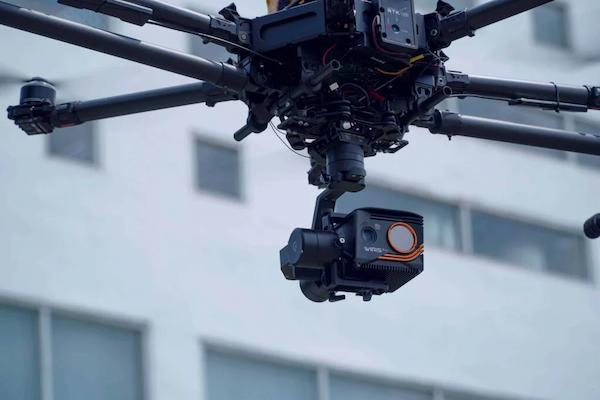
The mount for attaching the camera is a crucial part of the gimbal. It securely holds the camera in place, ensuring it stays steady during flight. A well-designed mount is both strong and flexible, allowing the camera to remain stable while the gimbal adjusts smoothly to the drone’s movements.
This helps keep the footage clear and steady, as the camera stays attached firmly while the gimbal makes quick adjustments to balance out any shakes or tilts.
Control Board For Stabilization
The control board for stabilization is like the gimbal’s brain. It takes in information from the sensors about the drone’s movements and quickly decides how the motors must adjust. This helps keep the camera stable. By making fast calculations, the control board tells the motors to move in just the right way, ensuring smooth and steady footage.
It constantly works during flight to keep everything balanced, so the camera stays focused and steady.
Wiring And Connectors
Wiring and connectors are like the gimbal’s pathways, connecting all its parts so they can work together. These wires carry power and signals between the motors, sensors, and control board. Good wiring ensures that everything stays connected properly, allowing the gimbal to adjust smoothly without any interruptions.
When the wiring is set up well, the gimbal won’t lose power or have communication issues. This helps keep the camera steady and working during the entire flight.
Types Of Gimbals Used In Drones
Different types of gimbals are used in drones to keep the camera steady. Each type offers a unique way to stabilize footage, helping capture smooth images and videos. From basic 2-axis gimbals to advanced digital and hybrid options, these types provide various levels of control and stability during flight.
2-Axis Gimbals
2-axis gimbals help keep a drone’s camera steady by controlling movements in two directions: pitch (tilting up and down) and roll (side to side). They are simpler and lighter than other types, making them easier for smaller drones to carry. Still, 2-axis gimbals can struggle with more challenging conditions, like strong winds or fast turns because they cannot adjust in as many directions as more advanced gimbals. Still, they work well for basic stabilization needs.
3-Axis Gimbals
3-axis gimbals stabilize a drone’s camera in three directions: pitch (up and down), roll (side to side), and pan (left and right). This extra control helps keep the camera steady, even when the drone makes sharp turns or sudden movements. With the ability to adjust in more directions, 3-axis gimbals provide smoother and more professional-looking footage.
This makes them ideal for capturing clear and steady videos during complex flights or in windy conditions.
Mechanical Gimbals
Mechanical gimbals use physical parts like springs and weights to keep a drone’s camera steady. Unlike motorized gimbals, they do not rely on electronics, which makes them simpler and easier to maintain. Still, they can’t adjust as quickly or precisely. So the camera can shake more during sudden movements or windy conditions.
Mechanical gimbals work best for basic stabilization. Still, they cannot provide the smoothest footage compared to motorized options.
Digital Gimbals (Software-Based)
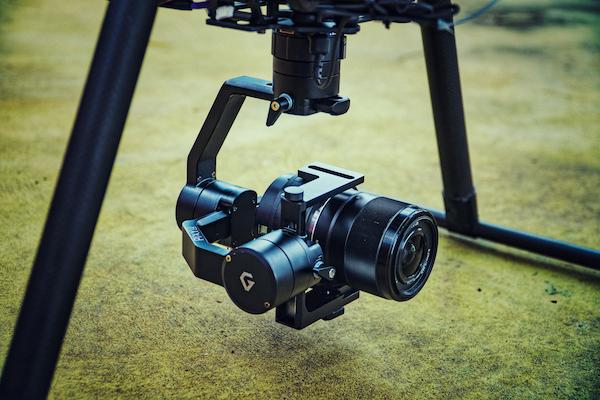
Digital gimbals use special software to stabilize a drone’s camera by adjusting the image through computer calculations. Instead of using physical parts, these gimbals rely on algorithms to reduce shakiness. This makes them lightweight, as they don’t need extra hardware. Still, their stabilization isn’t as precise as motorized gimbals.
This means the footage cannot be as smooth, especially in challenging conditions. Digital gimbals work well for simple needs but can struggle with more demanding tasks.
Hybrid Gimbals
Hybrid gimbals use both mechanical parts and software to keep a drone’s camera steady. They combine the stability of physical components like springs with the precision of digital adjustments. This mix helps create smoother footage without adding much extra weight to the drone. Hybrid gimbals offer better control and video quality than purely mechanical or digital options.
This makes them a great choice for capturing clear and stable videos during various flying conditions.
How A Gimbal Works On A Drone
Understanding how a gimbal works on a drone helps explain how it keeps the camera steady. A gimbal uses motors, sensors, and a control board to adjust the camera’s position. It responds to the drone’s movements, ensuring smooth footage even when the drone tilts or faces wind, capturing stable and clear images.
Stabilizes Camera Movement
The gimbal stabilizes the camera by quickly adjusting to any shaking or wobbling of the drone. It makes tiny movements to keep the camera steady, even if the drone moves in different directions or encounters bumps. This helps prevent blurry or shaky video footage, allowing the camera to capture smooth and clear scenes.
The gimbal’s ability to stabilize the camera is essential for creating professional-looking videos during flight.
Adjusts For Tilt And Roll
When a drone tilts or rolls in the air, the gimbal adjusts the camera to keep it level. It moves in response to the drone’s changes in angle, ensuring the camera stays steady and doesn’t tip over. This helps keep the video or photo straight, even if the drone is turning or flying at an angle.
The gimbal’s ability to adjust for tilt and roll ensures smoother and more balanced footage during flight.
Keeps Horizon Level During Flight
The gimbal helps keep the camera focused on the horizon during flight, ensuring the view stays straight and balanced. Even when the drone tilts or turns, the gimbal adjusts the camera to prevent it from slanting or tipping over. This is important for capturing videos and photos that look even and well-aligned.
By keeping the horizon level, the gimbal ensures that the footage appears professional and smooth without any unwanted angles or tilts.
Compensates For Wind And Movement
When strong winds push a drone, it can become unstable and shake. The gimbal quickly adjusts the camera’s position to counteract this movement, keeping it steady. It reacts instantly to shifts caused by wind or sudden changes in direction. This helps the camera stay focused and balanced.
By compensating for these movements, the gimbal ensures that the video footage remains smooth and clear even when the drone faces challenging weather conditions during its flight.
Smooth Footage Capture
The gimbal helps capture smooth video footage by minimizing any shaking or sudden movements from the drone. It adjusts the camera’s position quickly, keeping it steady during flight, even when facing gusty winds or making fast turns. This ensures that the footage stays clear and free of bumps. It makes videos look smooth and professional.
The gimbal’s ability to maintain stability means that the camera can focus on recording steady shots no matter how the drone moves.
Pros Of Using A Gimbal On A Drone
Using a gimbal on a drone offers several advantages that improve the quality of photos and videos. It helps keep the camera steady, even when the drone moves or faces strong winds. With a gimbal, the footage looks smoother and clearer. This makes it a valuable tool for capturing professional-looking aerial shots.
Smooth, Professional Footage
A gimbal helps create smooth and steady video footage by keeping the drone’s camera stable during flight. It reduces any shaking or sudden movements, which can make videos look bumpy or unsteady. This allows the drone to capture clear, smooth videos. It makes them look more polished and professional.
With a gimbal, the footage appears smooth and free of jitters. This makes it perfect for creating high-quality videos that look great to viewers.
Enhanced Stability And Control
A gimbal provides improved stability and control for a drone’s camera. It allows users to adjust the camera’s angle smoothly. This makes it easier to aim at specific subjects or areas. This precise control helps capture detailed and accurate shots without any unwanted shaking. The gimbal keeps the camera steady even during turns or shifts in the drone’s direction. Thus, it ensures that users can take clear, well-focused photos and videos from the air.
Better Image And Video Quality
A gimbal helps improve the quality of images and videos by keeping the camera steady during flight. When the drone moves, the gimbal reduces any shaking or vibrations that can cause blurry pictures. It allows the camera to focus properly. This helps capture clear and sharp photos and videos.
By minimizing movement, the gimbal ensures that each shot is steady. This results in higher-quality footage that looks clear and detailed even when the drone is flying through the air.
Effective In Windy Conditions
Gimbals are especially helpful when a drone faces strong winds. They keep the camera steady, even when the wind causes the drone to shake or shift. As the drone encounters turbulence, the gimbal adjusts the camera’s position quickly, preventing any wobbling in the footage. This means that, despite the challenging weather, the gimbal lets the camera capture smooth and stable videos.
Ideal For Aerial Photography
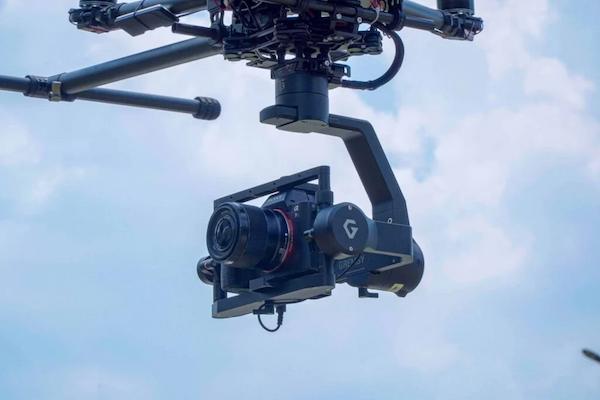
A gimbal is perfect for anyone using a drone for aerial photography. It keeps the camera steady while the drone flies, allowing it to capture clear and sharp images from different angles. The gimbal helps the camera stay balanced, even if the drone moves or tilts. This makes it possible to take high-quality photos of landscapes, buildings, or nature from the sky.
Cons Of Using A Gimbal On A Drone
While gimbals improve the stability and quality of drone footage, they also come with some downsides. Using a gimbal can add extra weight, drain the drone’s battery faster, and increase costs. Also, they will need maintenance and cannot be compatible with every drone model, which can cause challenges for users.
Adds Weight To The Drone
Gimbals make drones heavier because they add extra parts, like motors and a control board, to stabilize the camera. This added weight means the drone has to work harder to stay in the air, which uses up more battery power. As a result, the drone’s flight time can become shorter, needing to land and recharge sooner. While gimbals help with smooth footage, their weight can limit how long the drone can fly on a single charge.
Increases Drone Power Consumption
Gimbals have small motors that adjust the camera’s position to keep it steady during flight. These motors use extra energy from the drone’s battery to work properly. Due to this, the drone’s battery drains more quickly than it would without a gimbal. The extra power needed for the gimbal can reduce how long the drone can stay in the air.
Higher Cost Of Gimbal-Equipped Drones
Drones with gimbals usually cost more because they include special technology that keeps the camera steady. The gimbal’s motors, sensors, and control system are advanced parts that help create smooth footage, but they also make the drone more expensive to produce. This means that buying a drone with a built-in gimbal requires a bigger budget. While the added cost can be high, many users find it worth it for the improved quality of photos and videos.
Potential Maintenance Requirements
Gimbals need regular maintenance to keep them working well. Over time, parts like screws and connectors can become loose, so they need tightening. Sometimes, the gimbal also needs recalibration, which means adjusting it to make sure it balances the camera correctly. Cleaning off dust and dirt is also important to keep the motors and sensors working smoothly.
Taking care of these small tasks helps the gimbal last longer and ensures it keeps capturing stable footage during every flight.
Compatibility Issues With Some Models
Gimbals don’t always fit every type of drone, so it’s important to ensure they match before buying one. Different drones have specific sizes, shapes, and mounting systems that cannot work with certain gimbals. When a gimbal isn’t compatible, it won’t attach properly or cannot function correctly. Checking the compatibility between the drone and the gimbal helps avoid problems. It also ensures that the gimbal can work smoothly with the drone for steady footage.
Tips For Maintaining A Drone Gimbal
Maintaining a drone gimbal is important to keep it working well and capturing smooth footage. Simple care tips, like checking connections, cleaning parts, and calibrating before each flight, can help the gimbal last longer. Following these tips ensures that the gimbal continues to keep the camera steady during every drone flight.
Regularly Check Connections
Before flying a drone, check the gimbal’s wiring and connectors. Loose connections can cause the gimbal to stop working properly, leading to shaky footage or even a malfunction during flight. By inspecting the wires and ensuring everything is tightly connected, you can avoid problems while flying. This simple step helps keep the gimbal stable and ensures that the drone’s camera captures smooth and steady videos every time.
Avoid Rough Landings
Landing a drone gently is important for keeping the gimbal safe. Hard or rough landings can shake or damage the gimbal’s delicate parts, like its motors and sensors. This can affect how well the gimbal keeps the camera steady. By practicing smooth and careful landings, you help protect the gimbal from bumps and shocks.
This keeps it working properly and ensures that the drone can continue capturing stable and clear footage during every flight.
Clean Gimbal Motors And Parts
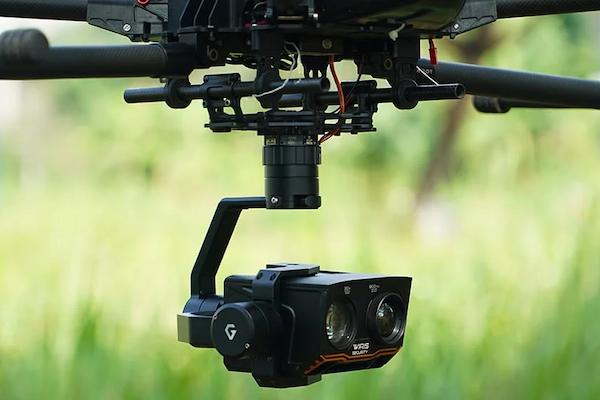
Keeping the gimbal clean is important for its performance. Dust and dirt can build up on the gimbal’s motors and other parts, which can cause it to move less smoothly. By regularly wiping down the gimbal and removing any debris, you help keep the motors and sensors working well. This simple cleaning routine ensures the gimbal can continue to stabilize the camera. This lets it capture clear and steady footage during every flight.
Calibrate Gimbal Before Each Flight
Calibrating the gimbal before each flight helps it adjust and align correctly. This process allows the gimbal to reset and understand its position. This ensures it can balance the camera properly. By calibrating, the gimbal can react accurately to the drone’s movements. It keeps the camera steady throughout the flight.
Calibrating the gimbal is a simple step that makes a big difference in capturing smooth, stable videos and photos. This ensures the gimbal performs its best every time the drone takes off.
FAQs
1. Do You Need A Gimbal On A Drone?
No. A gimbal isn’t always needed. Still, it helps make videos look better by keeping the camera steady. It reduces shaking, especially when the drone flies fast or in windy conditions. This results in smoother footage. When you want clear, high-quality photos and videos, a gimbal is a smart choice.
2. Do You Fly Drone With Gimbal Cover?
No. Take off the gimbal cover before flying a drone. The cover protects the gimbal when stored or carried. Yet, leaving it on during flight can restrict the gimbal’s movement and affect how well it stabilizes. Remove the cover to let the gimbal move freely and help capture smooth videos.
3. When To Use A Gimbal On A Drone?
Use a gimbal when you want smooth and steady videos or photos. It’s great for windy conditions, quick movements, or detailed shots. It helps keep the camera steady, reducing shakes or vibrations. This makes it ideal for taking professional-looking footage or high-quality aerial photos and videos.
Conclusion
A gimbal is vital for getting high-quality videos and photos with a drone. It keeps the camera steady, even when the drone moves, tilts, or faces wind. This ensures smooth and clear shots. This makes it valuable for both beginners and experts who want professional-looking aerial footage.
Although using a gimbal can add some weight to the drone and use up more battery power, the advantages of steady and clear images make it worth it. Knowing how the gimbal works, the different types available, and how to take care of it can help drone users improve their aerial photography and videos. Understanding these details ensures they get the best results from their drone’s camera.